Assemble the adapter
T
he instructions below is an example how to assemble the adapter.
Note:
The instructions show how to assemble a BPG 300 column but is applicable
t
o other BPG columns.
Step Action
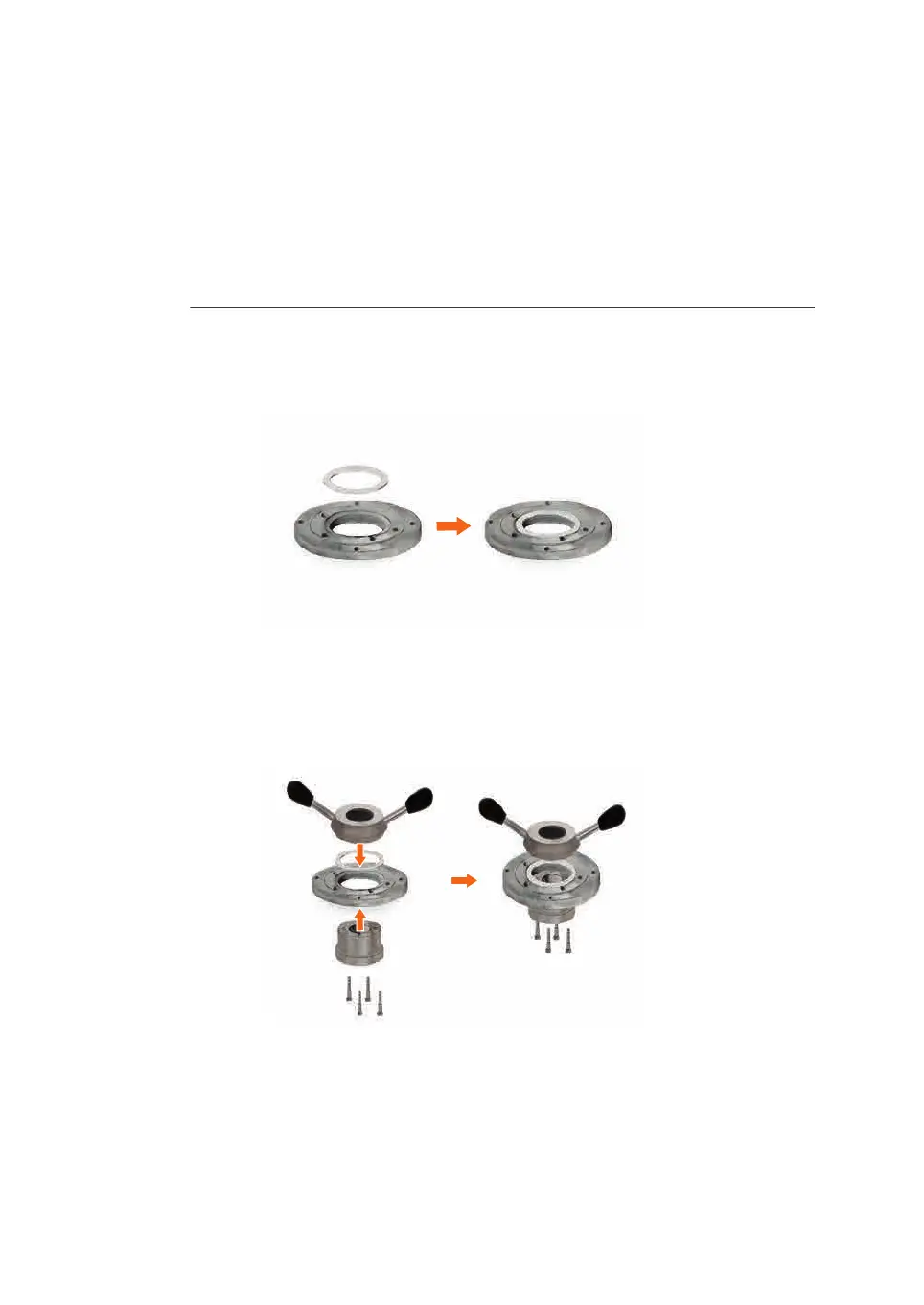
1 Position the bushing ring(s) in the recess on the adapter top plate.
N
ote:
This image shows BPG 140 column but is applicable to other BPG columns.
2 Using the screws secure the adjuster nut insert to adjuster nut body through
t
he adapter top plate so that the adjuster nut body turns on the bushing ring.
Note:
This image shows BPG 140 column but is applicable to other BPG columns.
3 Slide the spring (c), inner adapter tube (b) and outer adapter tube (a) onto the
a
dapter plate.
6 Maintenance
6
.5 Disassemble and assemble the adapter
106
BPG Columns Operating Instructions 29193223 AB




 To Next Page