7 Troubleshooting
A
bout this chapter
This chapter provides information to operators and service personnel to identify and
correct problems that can occur when operating BPG columns.
If the suggested actions in this guide do not solve the problems, or if the problem is not
covered by the this guide, contact your Cytiva representative for advice.
Air in the column
If air has entered the column, the column can be run at a high velocity in the opposite
direction until de-aired. Place a flow restrictor on the outlet to generate a higher back-
pressure over the bed. However, if only a small amount of air has been trapped between
the column net and the adapter head, it is possible to remove the air by pumping a
solution, with a temperature a few degrees higher than the media, through the column,
in the opposite direction. After reverse pumping, test the column again prior to use,
refer to Section 5.3 Performance evaluation of the column, on page 72.
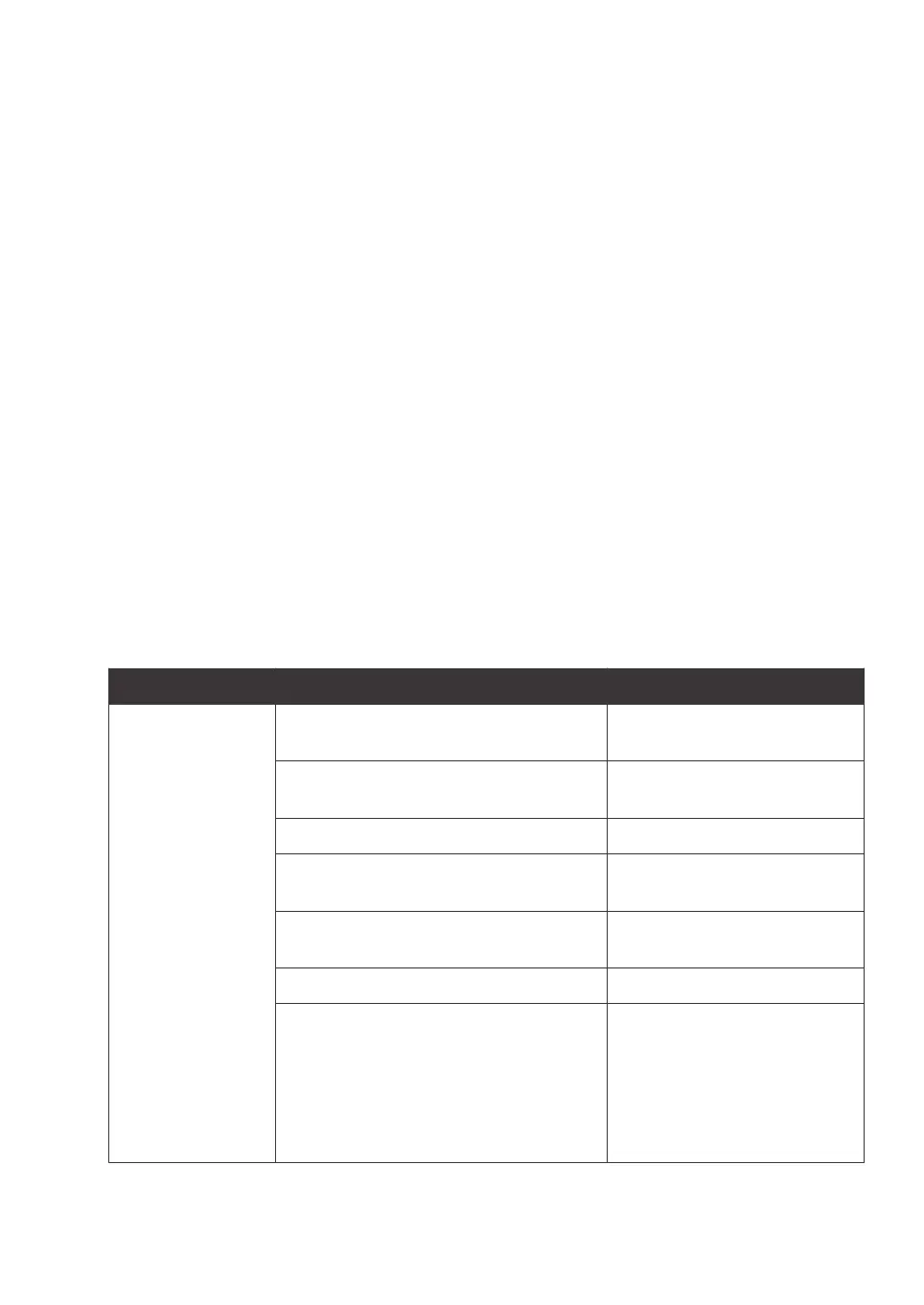
Troubleshooting guide
Problem Cause Action
High-back pressure The valves between the pump and the
c
ollection vessel are closed.
Open the valves.
The valves are blocked. Check that all valves are clean
a
nd free from internal blockage.
The medium is packed too hard. Repack the medium.
The column nets are blocked and there
c
an be air trapped in the net.
Change nets.
The support net is blocked. Clean or change the support
n
et.
Flow valve selected is not correct. Change flow valve.
Flow cell used not the correct selected.
• S
elect adequate size of flow
cell.
• Check to see if the sample
and collection vessels are at
approximately the same
level as, or above, the pump.
7 Troubleshooting
BPG Columns Operating Instructions 29193223 AB 121











 To Next Page