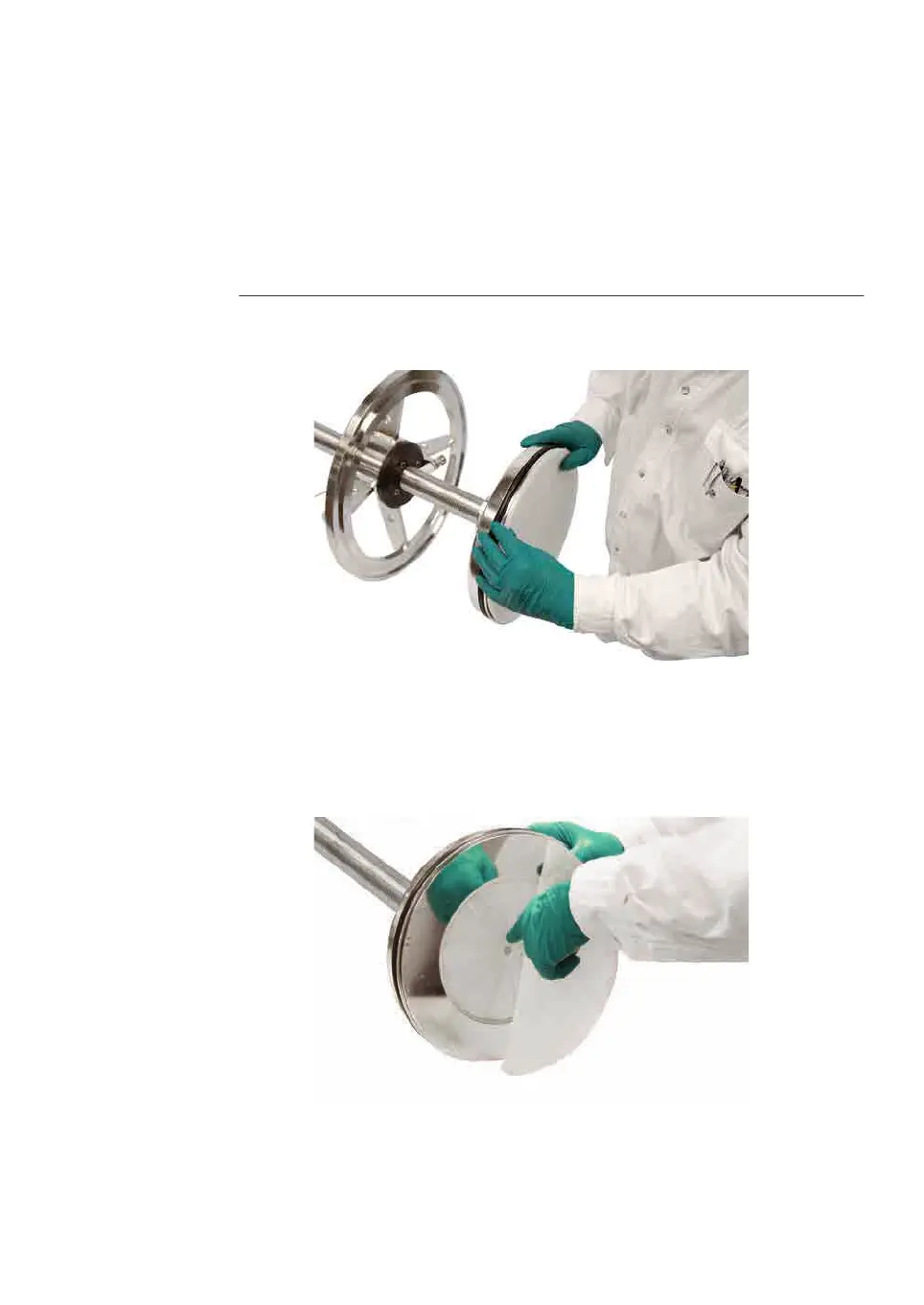
Replace net in the adapter
T
he instructions below show an example how to replace the adapter net.
Note:
The instructions show a BPG 300 column but is applicable to other BPG
c
olumns.
Step Action
1 Locate the small slot at the base of the net ring.
2 Remove the net by bending it carefully.
Note:
B
PG 450: Remove the net by twisting a spatula or similar stainless blunt
blade in the slot.
3 Remove the support net. Be careful not to scratch the adapter as this may
c
ause leakage.
4 Fit new net items according the order in the table A
dapter items, on page 81.
6 Maintenance
6
.2 Replacements of nets and O-rings
6.2.1 Replacements in the adapter
BPG Columns Operating Instructions 29193223 AB 85











 To Next Page