xStack
®
DES-3500 Series Layer 2 Stackable Fast Ethernet Managed Switch User Manual
147
Parameter Description
From Port/To
Use the drop-down menu to select a range of ports to be configured.
MAC/PHY
Configuration
Status
Use the drop-down menu to configure the advertise MAC PHY status of the switch.
Link Aggregation
Use the drop-down menu to Enable or Disable the advertise link aggregation state on the Switch.
Maximum Frame
Size
Use the drop-down menu to Enable or Disable the advertised Maximum Frame Size.
Click Apply to implement changes made.
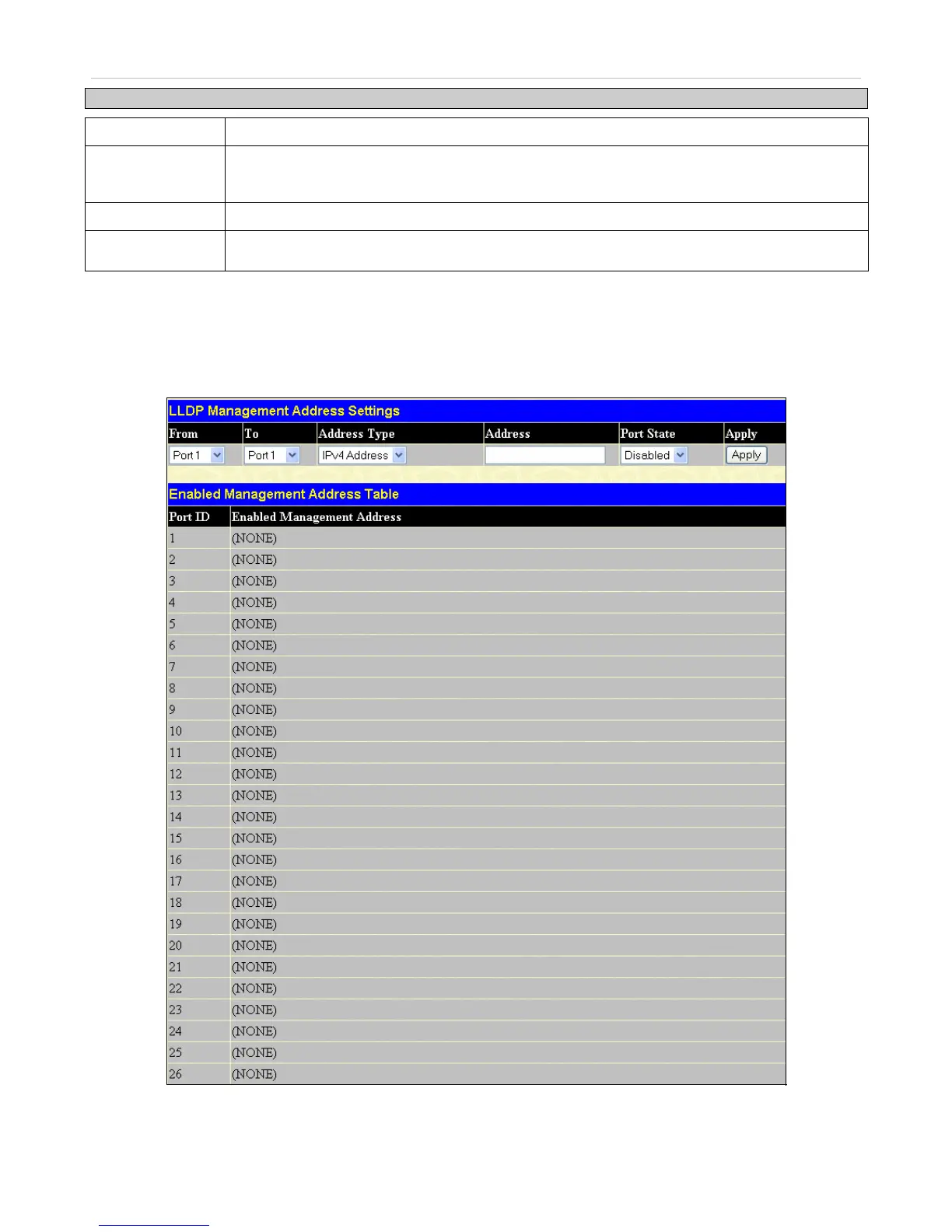
LLDP Management Address Settings
To view this window, click Configuration > LLDP > LLDP Management Address Settings
Figure 6- 130. LLDP Management Address List window







 To Next Page