xStack® DES-3200 Series Layer 2 Managed Fast Ethernet Switch
116
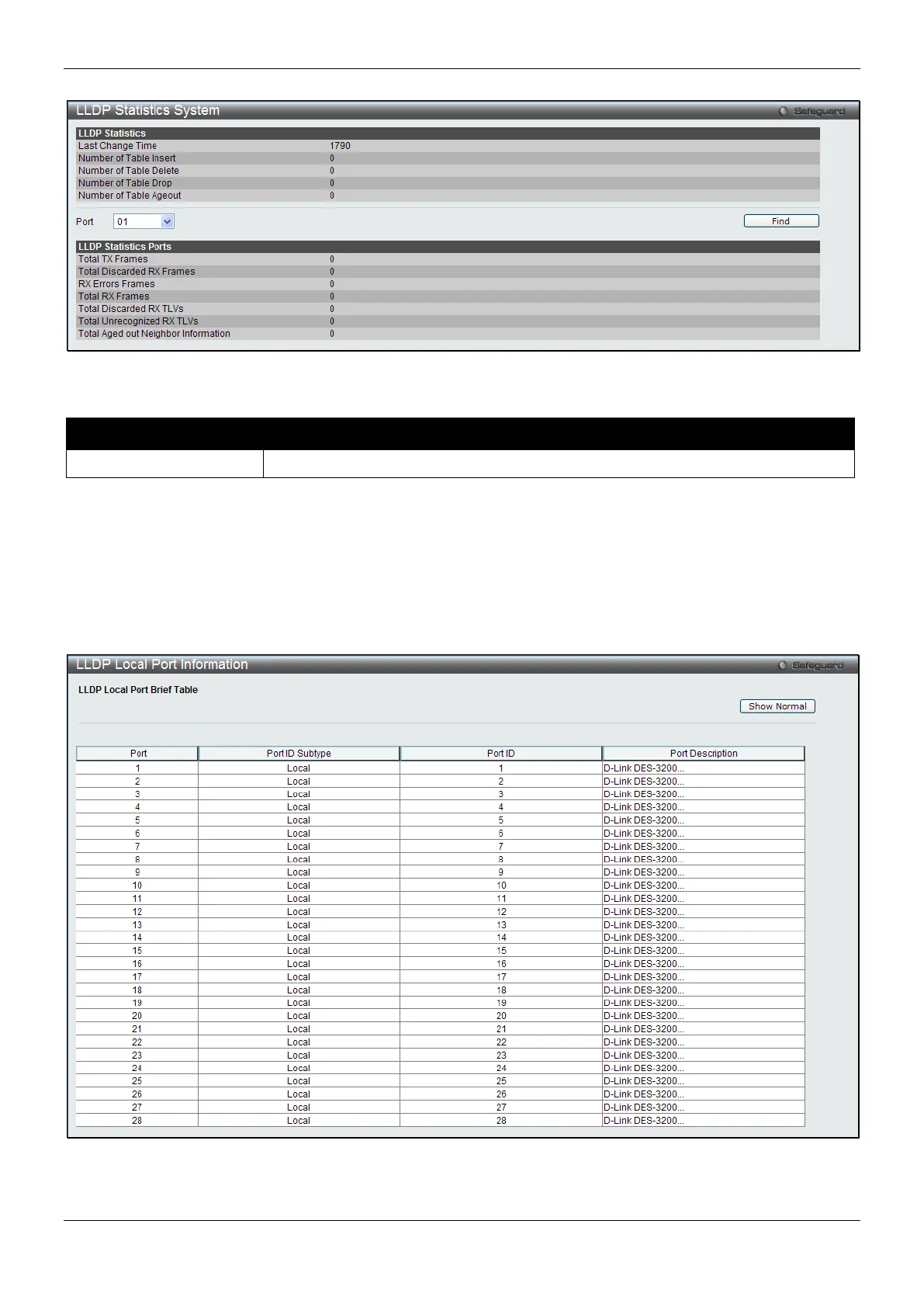
Figure 4-83 LLDP Statistics System window
The fields that can be configured are described below:
Parameter Description
Use the drop-down menu to select a port.
Click the Find button to locate a specific entry based on the information entered.
LLDP Local Port Information
The LLDP Local Port Information page displays the information on a per port basis currently available for
populating outbound LLDP advertisements in the local port brief table shown below.
To view the following window, click L2 Features > LLDP > LLDP > LLDP Local Port Information, as show below:
Figure 4-84 LLDP Local Port Information window
To view the normal LLDP Local Port information page per port, click the Show Normal button.



 To Next Page
 Loading...












