xStack® DES-3200 Series Layer 2 Managed Fast Ethernet Switch
67
configured rule. On egress at this port, the SP-VLAN tag will be recovered to C-VLAN tag or be striped. The priority
will be the priority in the SP-VLAN tag if the inner priority flag is disabled for the receipt port.
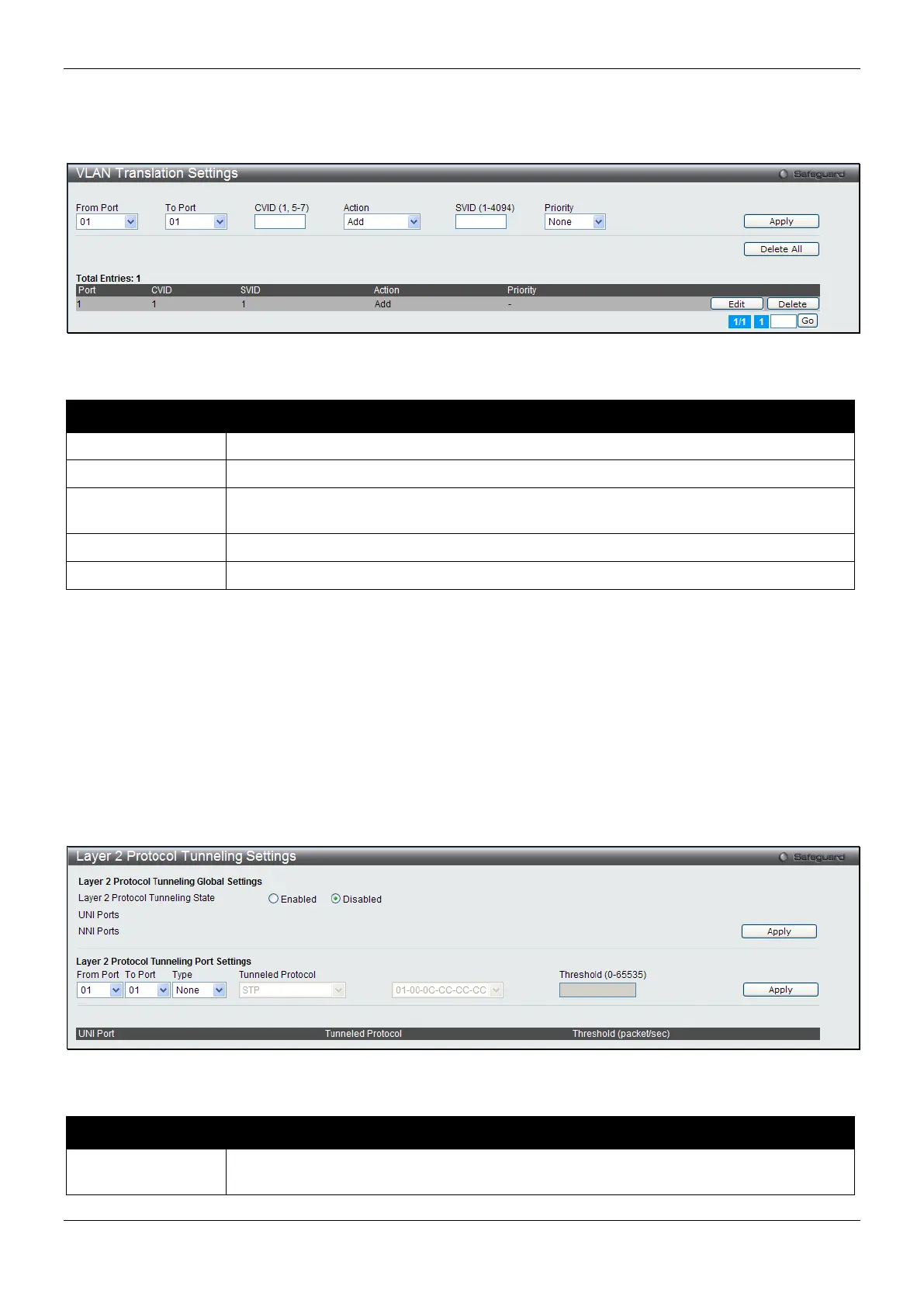
To view the following window, click L2 Features > QinQ > VLAN Translation Settings, as show below:
Figure 4-20 VLAN Translation Settings Window
The fields that can be configured are described below:
Parameter Description
Use the drop-down menus to select a range of ports to use in the configuration.
Enter the C-VLAN ID to match.
Action
The action indicates to add an S-tag before a C-tag or to replace the original C-tag by an
Use the drop-down menu to select the priority of the s-tag.
Click the Apply button to accept the changes made for each individual section.
Click the Delete All button to remove all the entries listed.
Click the Edit button to re-configure the specific entry.
Click the Delete button to remove a specific entry.
Enter a page number and click the Go button to navigate to a specific page when multiple pages exist.
Layer 2 Protocol Tunneling Settings
This window is used to configure Layer 2 protocol tunneling settings.
To view the following window, click L2 Features > Layer 2 Protocol tunneling Settings, as show below:
Figure 4-21 Layer 2 Protocol Tunneling Settings window
The fields that can be configured are described below:
Parameter Description
Layer 2 Protocol
Click to enable or disable the Layer 2 protocol tunneling state.



 To Next Page
 Loading...












