Enter/Exit Programming Mode
Product Reference Guide 191
Micro PDF417
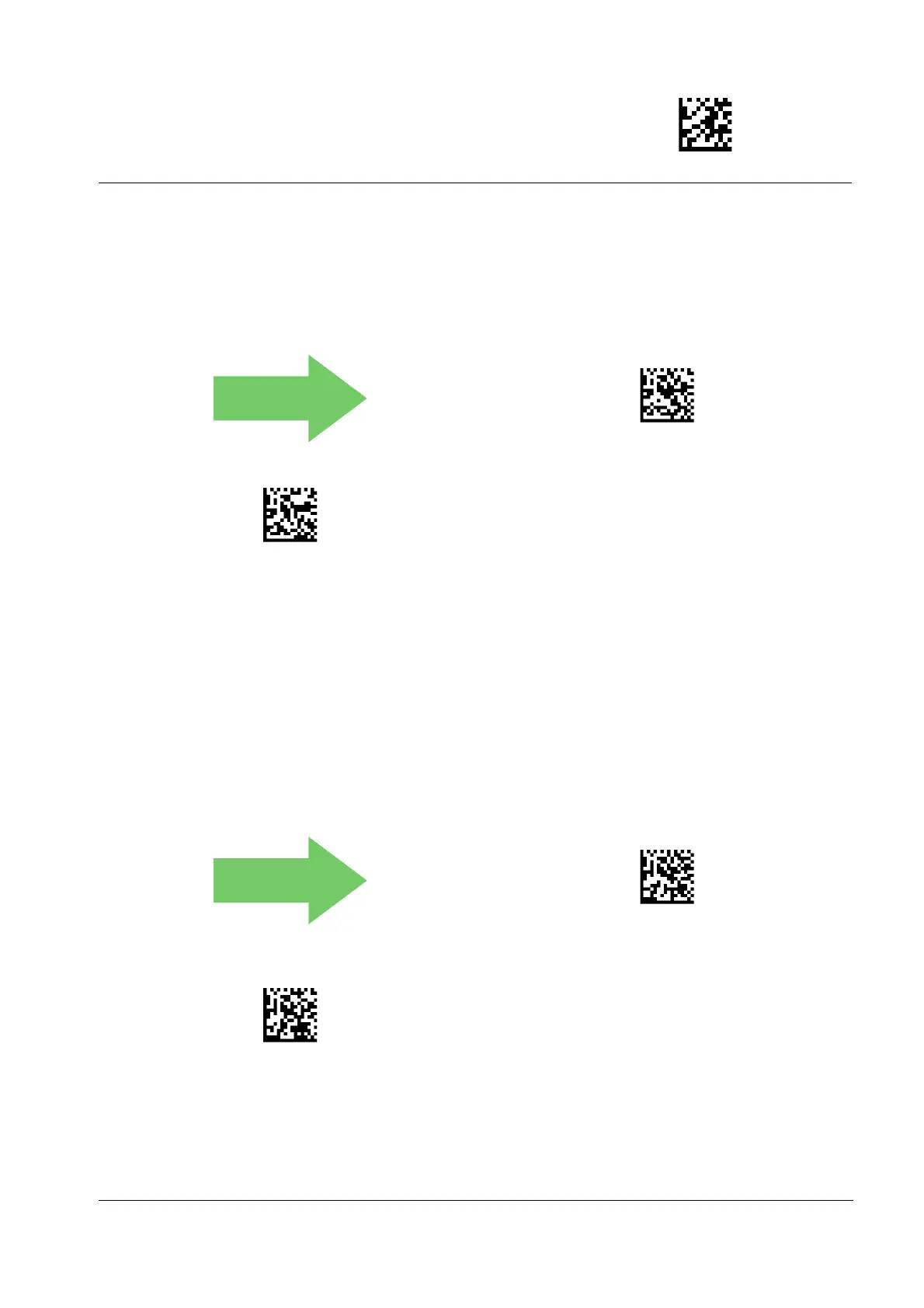
Micro PDF417 Enable / Disable
Enables/disables the ability of the reader to decode Micro PDF417 labels
DEFAULT
Micro PDF417 = Disable
Micro PDF417 = Enable
.
Micro PDF417 Code 128 GS1-128 Emulation
Specifies which AIM ID to use for MicroPDF labels when doing Code 128 or GS1-128 emulation.
Emulation choices are:
• Micro PDF AIM ID and label type
• Code 128 / EAN128 AIM Id and label type
Micro PDF417 Code 128 GS1-128 Emulation =
Micro PDF AIM ID and label type
Micro PDF417 Code 128 GS1-128 Emulation =
Code 128 / EAN128 AIM ID and label type



 To Next Page
 Loading...