ES601Plus OPERATING MANUAL
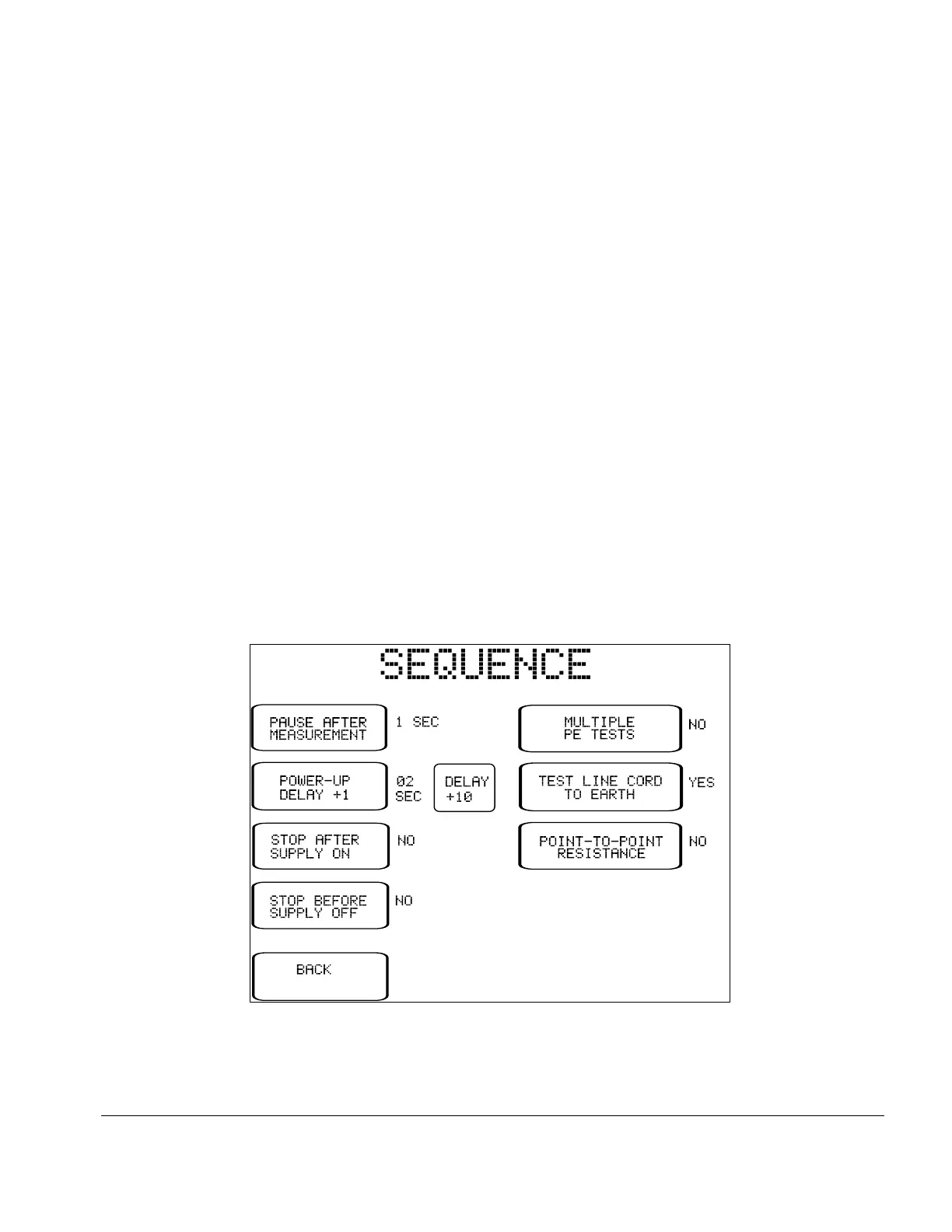
Fig u re 11 - Editor for Sequence Controls.
SEQUENCE
CONTROLS:
Referring back to the editor main menu (Fig u re 8), pressing this button
activates a submenu for setting the Sequence Controls of the
AutoSequence. Each Safety AutoSequence has its own dedicated set of
Sequence Controls.
Buttons on the left of the Sequence Controls menu pertain to leakage
current measurement as described in Section 3.3. These controls affect
time delays or optional breaks which may occur at specific steps in the test
sequence. Buttons on the right of the Sequence Control menu affect
operation of the protective earth test as described in Sections 3.3 and 5.9.
Note that Safety AutoSequences do not include an offset calibration for
point-to-point resistance measurement; there is only one OFFSET
calibration for ES601Plus and this is input by means of System Settings
Menu #2, according to Section 3.3. When a Safety AutoSequence is
executed, the OFFSET calibration is recalled from the System Settings and
is displayed; if necessary, the user may then temporarily modify the
OFFSET to suit the test lead being used for point-to-point measurement. If
modified, the OFFSET will revert to the System Setting upon completion
of the AutoSequence.
Setup/Chapter 3 # Page 36



 To Next Page