ES601Plus OPERATING MANUAL
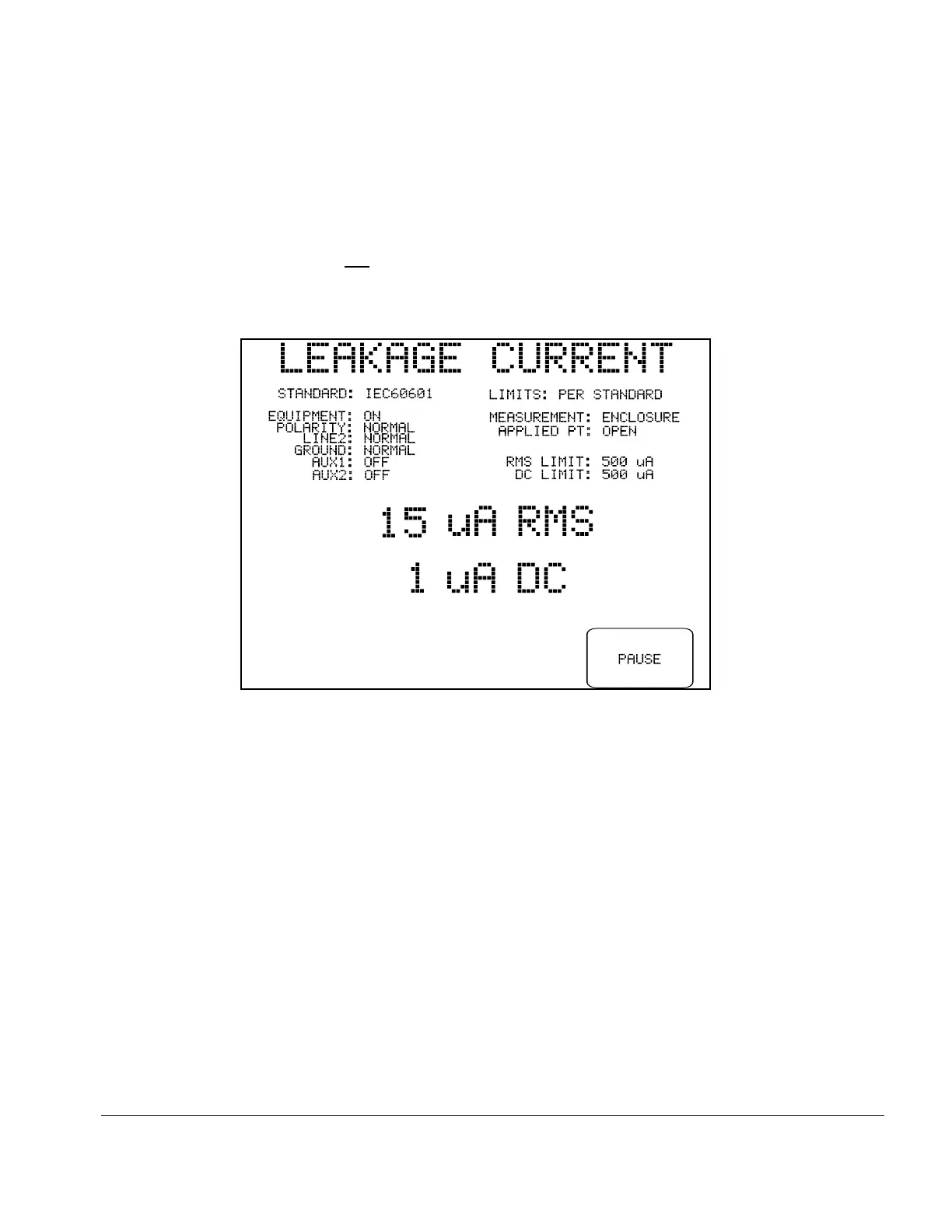
Fig u re 33 - Leakage current test in progress.
Once the leakage test has been set up and the connections are made, the test is started by pressing
the CONTINUE button on the CONNECTIONS menu. The required measurements are
performed automatically in a sequence. AC RMS and DC currents are measured simultaneously, and
the display is updated with new data approximately two times every second. If the "PAUSE
AFTER..." Sequence Control is not set to "NO", ES601Plus will delay an additional 1 to 5 seconds
between consecutive leakage measurements.
The type of measurement being performed and the AC supply conditions are shown on the display,
above the leakage readings. RMS and DC limits corresponding to the test conditions are also shown
on the right, above the readings. Each RMS and DC value is respectively compared to its limit and is
either "PASSED" or "FAILED" automatically by ES601Plus. The PAUSE button may be pressed
at any time to pause the sequence and freeze the most recent measurement on the display (see
Fig u re 34).
Manual Testing/Chapter 5 # Page 74


 To Next Page
 Loading...