Chapter 6 Writing a Program
6-7
6.4.2
Setting the Parameters
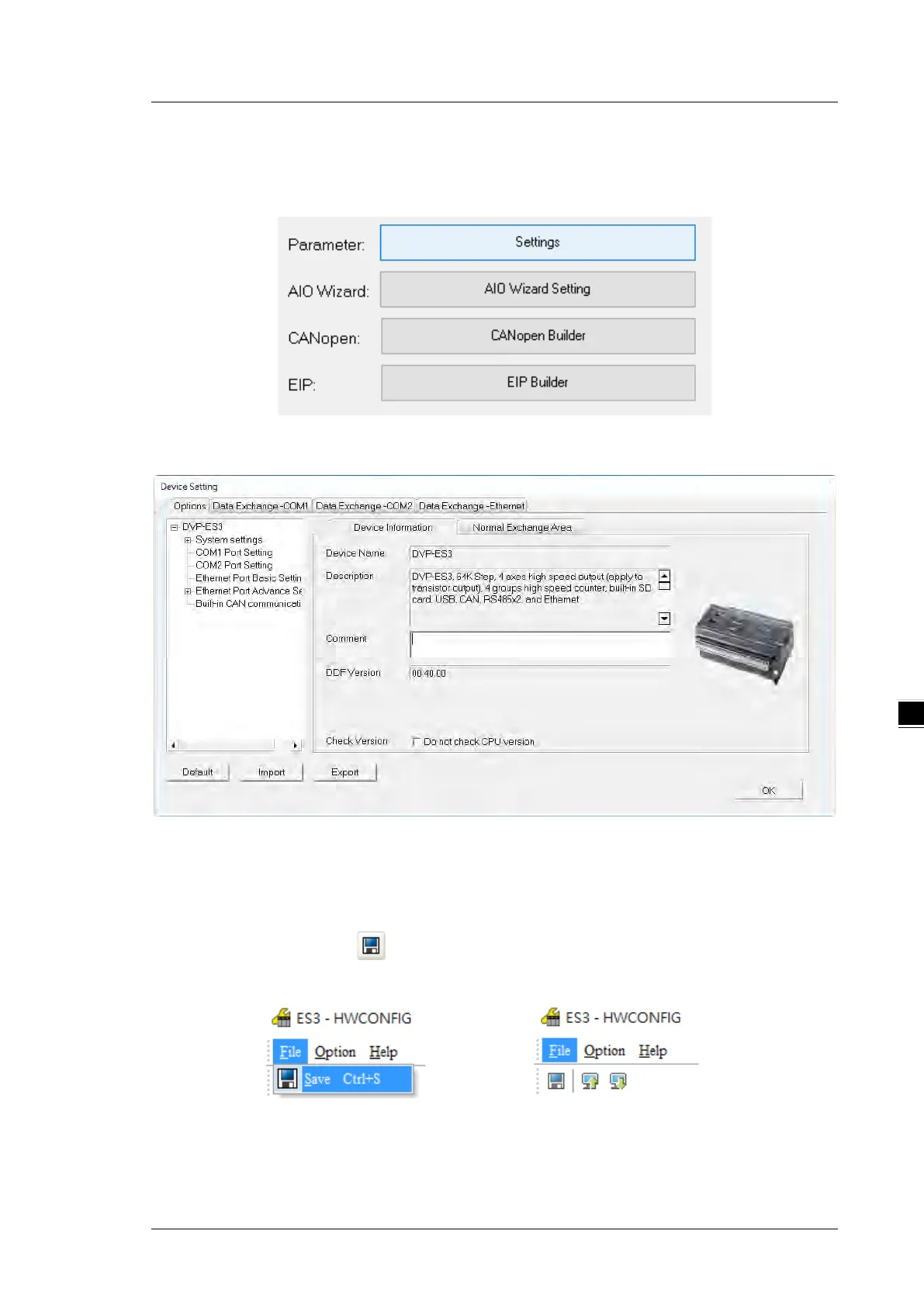
After you double-click the CPU module or the extension module, the
Device Setting
dialog box appears with
the module information.
Click the setting tabs for specific parts of the setup at the top of the window and then select the setting items
on the left for configuration.
When the hardware configuration is complete, download the configuration and the settings to the CPU
module. Save the configuration and settings, and you can download them with the program later in the
project.
On the
File
menu, click
Save
or on the toolbar to save the configuration and settings, and then close the
HWCONFIG
window.
or
*. Refer to Chapter 8 for more information about HWCONFIG.

 To Next Page
 Loading...