70
[4.9] Setting the TCP/IP, FTP and DHCP (Available in LAN-support BHT system only)
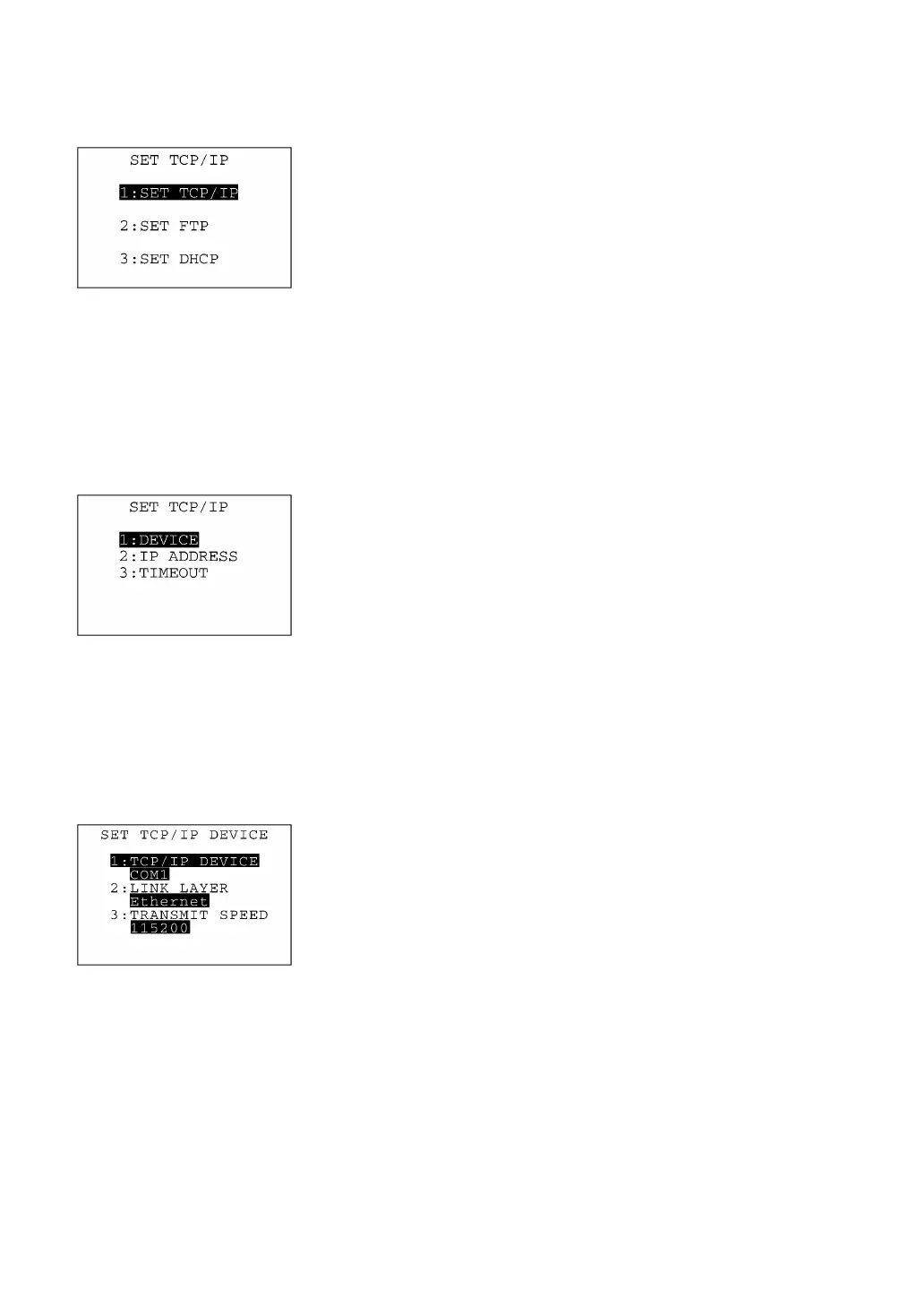
Selecting "9:TCP/IP" on the SET SYSTEM menu calls up the screen
shown at left.
[1] SET TCP/IP: Switches to the TCP/IP setting screen.
[2] SET FTP: Switches to the FTP setting screen.
[3] SET DHCP: Switches to the DHCP setting screen.
Select a desired item by using the numerical keys or F5 and F6 keys,
and then press the ENT key.
To return to the SET SYSTEM menu, press the C key.
[4.9-1] Setting the TCP/IP
Selecting "1:SET TCP/IP" on the SET TCP/IP, FTP and DHCP menu
calls up the screen shown at left where the current settings are
displayed.
[1] DEVICE: Switches to the TCP/IP DEVICE screen.
[2] IP ADDRESS Switches to the IP ADDRESS screen.
[3] TIMEOUT: Switches to the TIMEOUT screen.
Select a desired item by using the numerical keys or F5 and F6 keys,
and then press the ENT key.
To return to the SET TCP/IP, FTP and DHCP menu, press the C key.
(1) TCP/IP device screen
Selecting "1:DEVICE" on the SET TCP/IP menu calls up the screen
shown at left where the current communications device, link layer,
and transmission speed are displayed.
To return to the SET TCP/IP screen, press the C key.



 To Next Page