67
12.2 Curve Representation
With the sequence controller AST6 each screwing application creates a screwing curve.
This can be views or saved in different ways.
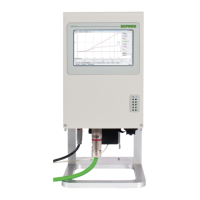
• Display directly at the controller in the process data menu curve representation
• Download via the web interface in the process data menu curve representation in
the following formats:
◦ As binary file: The file contains the recorded raw data. The GRAPH10 viewer
program is required for viewing or processing.
◦ As CSV file: The data is converted into a table separated by commas, meaning
the values are represented as text, with commas between the columns and line
feed characters between the datasets. This format can be processed and read by
table processing programs such as MS Excel or Open Office Calc. It is also
possible to analyze with scripts or own programs. There are two limitations for
table processing:
1. MS Excel and Open Office Calc can not process more than 65536 lines
that contain curve data but often more datasets.
2. Both table processes interpret the decimal number depending on
language: German version expects a decimal comma, foreign languages a
decimal point, the other format is wrongly represented. The AST6 curve
data always uses a decimal point, since this is the common format for
computer data. For the analysis with the German version of the table
processing the commas should therefore be replaced by semi-colons and
the decimal point by commas.
◦ As shortened CSV file: The amount of datasets is shortened under the process
limit of the table processing (65536 lines). For this, several datasets are
combined by using the highest value respectively. If the data is shortened to half
for example, then the two datasets with the highest rotation speed, the highest
torque etc. are compiled to one dataset.
• In connection with the GRAPH10 (E) curve viewer as a direct download from the
controller
The following data is recorded:
• Rotation speed
• Torque
• Angle
• Program step
• Current strength
• Temperature of the electronics


 To Next Page