Blitz-DT9 User Manual
- 10 -
transmit the aircraft performance data to the transmitter.
Support PPM, PWM and D.BUS signal.
USB upgrade: Upgrade by a USB cable help RXC9M always keeps the latest
program.
Changing the signal mode
According to the output signal types, RXC9M has a PPM mode, PWM mode and
D.BUS mode. You can check the current mode from the mode LED on the
receiver. When the RXC9M receiver powers up, the mode LED indicator will glow
solid red/green/blue, and will be off after 5 seconds. When the mode LED is off,
you can light this LED by clicking the Bind/Mode button.
Green: The receiver works on PWM mode.
Red: The receiver works on D.BUS mode.
Blue: The receiver works on PPM mode.
Users can change the receiver mode according to their demands. Now changing
the receiver mode from PPM to D.BUS mode is taken as an example.
Press and hold the Bind/Mode button on the receiver, then power on the
receiver. The mode LED will stay blue (PPM mode) for 2 seconds and then
change into red on, indicating that the receiver switches to D.BUS mode, and the
mode LED will be off 5 seconds later.
Connection
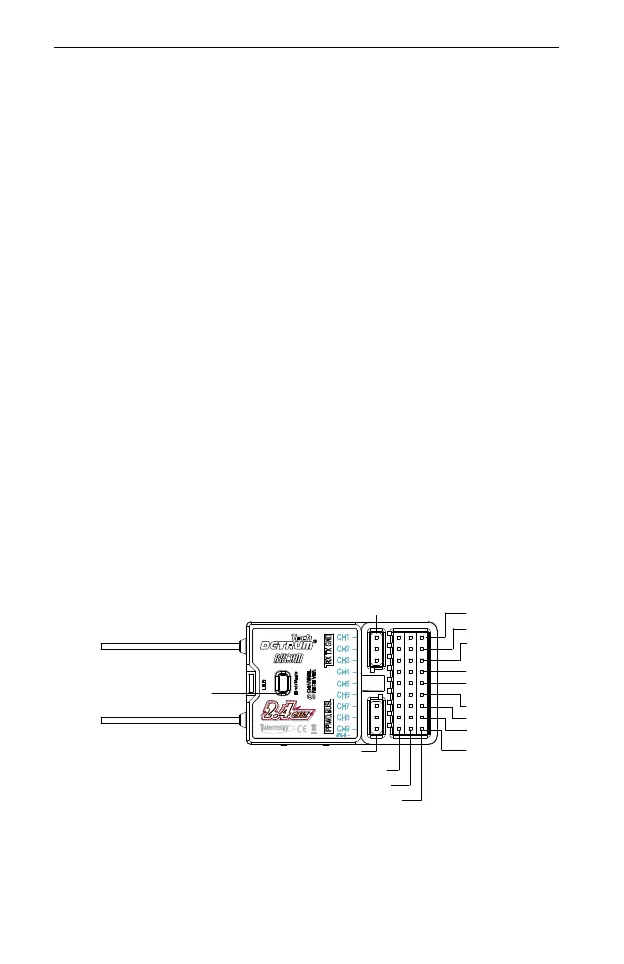
The channels of Detrum RXC9M receiver are labeled with number, as shown in
the following figure. For each channel, signal wire is close to the decal of the
receiver, middle is the positive and right is GND.
The RXC9M receiver has PPM, PWM and D.BUS modes. The connection of the
receiver in these three modes is described as follows:
On PWM mode, you can connect the receiver’s channels directly to the servo,
or connect them to the servos via the flight controller.
Aileron
Elevator
Throttle
Rudder
Gear
AUX1
AUX2
AUX3
AUX4
GND
+
Signal
PPM/D.BUS Channel
Telemetry Port
Bind/Mode Button



 To Next Page