Blitz-DT9 User Manual
- 11 -
On PPM mode, connect the PPM port of the flight controller which supports
PPM signal to the PPM/D.BUS port of the receiver, and then connect the
output port of the flight controller to the servos.
On D.BUS mode, connect the D.BUS port of the flight controller which
supports D.BUS signal to the PPM/D.BUS port of the receiver, and then
connect the output port of the flight controller to the servos.
In order to transmit the flight data to the transmitter, user need to connect the
telemetry port of the receiver to the flight controller. When working with optional
telemetry module and sensors such as GPS, RXC9M can transmit the battery
voltage, flying distance, flying speed and flight time, etc.
NOTE: In order to use this function, the flight controller and transmitter you
used should also have telemetry settings.
Installation Precautions for the receiver:
When connecting the receiver, please note the line sequence and securely
insert all of the connectors as far as they will go.
The two antennas of the receiver should be placed at 90 degrees to each
other. Do not place the two antennas twisted together or in parallel.
Receiver Firmware Upgrade
User can upgrade the RXC9M online via the USB port.
Preconditions:
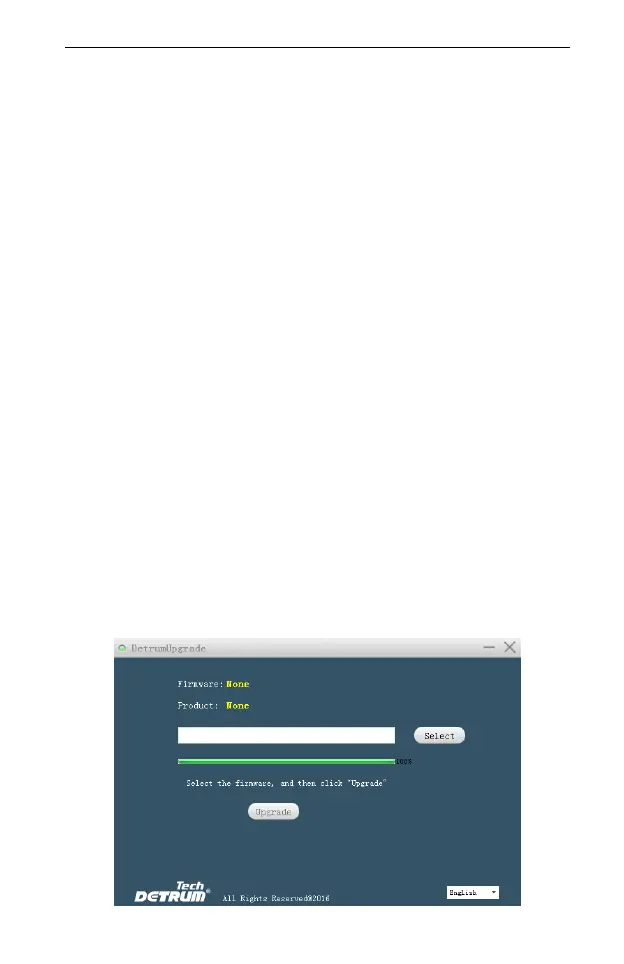
The DetrumUpgrade software has been acquired and installed.
The RXC9M device driver “RXC9M.inf” has been acquired and installed.
The latest upgrade program has been acquired.
Steps:
1. Double-click the DetrumUpgrade software to open it.



 To Next Page