Blitz-DT9 User Manual
- 18 -
wheel to set the value of the parameter. After that, press the scroll wheel to
save the value.
Distance Alert: It is used to set the alert mode.
Values:
OFF: Turn off this alert.
Both: When the distance exceeds the set maximum or minimum values,
both voice and vibration alerts are provided.
Voice: When the distance exceeds the set maximum or minimum values,
voice alert is provided.
Vibra: When the distance exceeds the set maximum or minimum values,
vibration alert is provided.
Distance Max: It is used to set the upper limit of the distance alert.
Distance Min: It is used to set the lower limit of the distance alert.
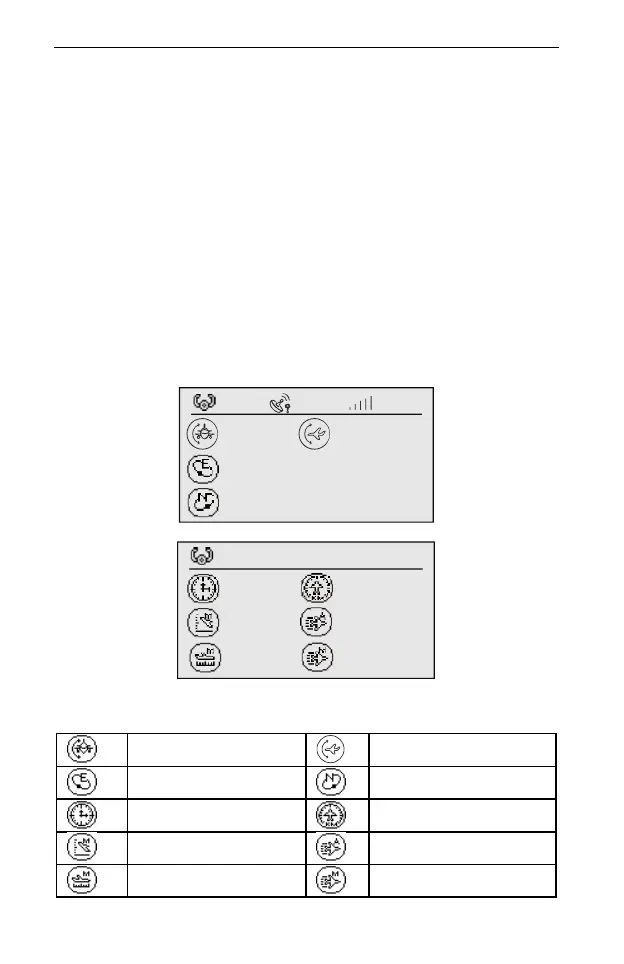
3. Press the CLEAR button on the interface shown in step 1, it will access to the
following interfaces.
In these interfaces, you can check the telemetry data. The description of each
icon is shown in the table below.
— — — — — — — — dBm
— — — — — — v
— — — — — — m
— — — — — —° — — — — — —°
— — —
— — — — — — s — — — — — — km
— — — — — — m — — — — — — m/s
— — — — — — m — — — — — — m/s



 To Next Page