Blitz-DT9 User Manual
- 7 -
NOTE: When the Stick Mode is set to MODE 1, the positions of sticks and
digital trims are shown in the figure. The positions are different depending on
the stick mode. For details, please refer to Stick Mode [Stick Mode] (Page
21).
Antenna: the strong radio wave radiate from the side of the transmitter
antenna. Do not point the antenna directly toward the aircraft during flight.
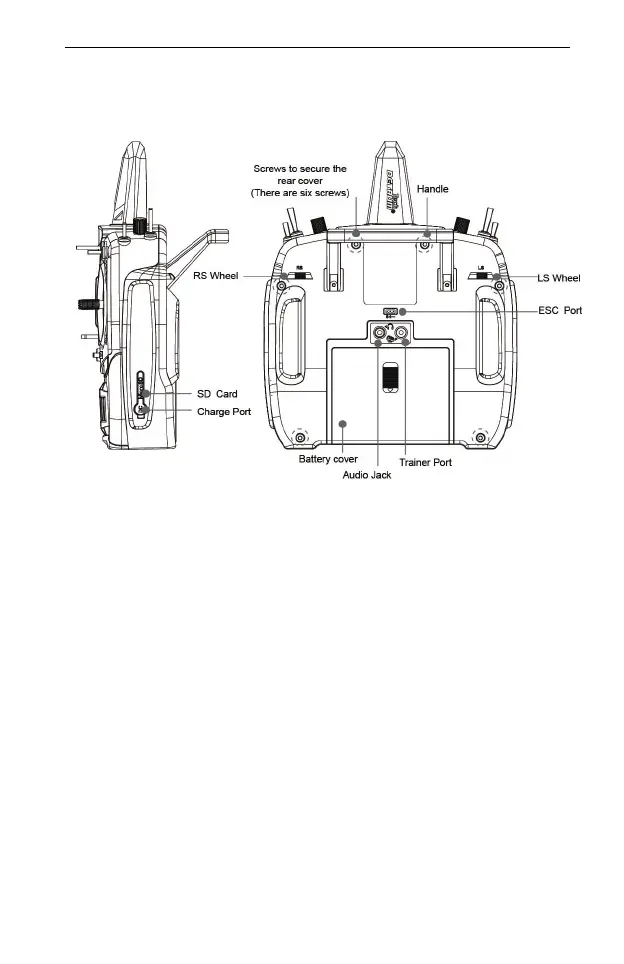
Handle: the handle is designed for easily carrying and placing the transmitter.
Power switch: Push the switch rightward to turn on the transmitter, push
leftward to turn off.
Neck Strap Attachment: for a long flight you can choose to use a neck strap
for easy handing. The neck strap attachment is on the neutral position, in
order to get the best balance for transmitter.
Switches
SA: 3 positions, alternate, short lever.
SB: 3 positions, alternate, long lever.
SC: 3 positions, alternate, long lever.
SD: 3 positions, alternate, short lever.
SE: 3 positions, alternate, short lever.
SF: 3 positions, alternate, short lever.
SG: 2 positions, momentary, long lever.
SH: 2 positions, alternate, long lever.
Sticks: when the Stick Mode is set to MODE 1, the positions of sticks are



 To Next Page