GAVIN-8C Instruction Manual
- 13 -
Change the Location of Throttle Stick
If you want to change the throttle stick from right-hand to left-hand, or change
from left-hand to right-hand, it is need to change the location of the throttle stick,
and then change the stick mode. The following is the method for changing the
location of the throttle stick.
Tools: Phillips screwdriver, ESD wrist strap or ESD gloves.
Conditions: Before operating, please wear an ESD wrist strap or ESD gloves.
Steps:
1. Open the battery cover, and remove the batteries.
2. Remove the six screws on the rear cover with a Phillips screwdriver.
3. Open the rear cover and remove the wirings between the PCB and rear
cover.
CAUTION: Please gently ease off the transmitter's rear cover, to avoid
breaking the wirings.
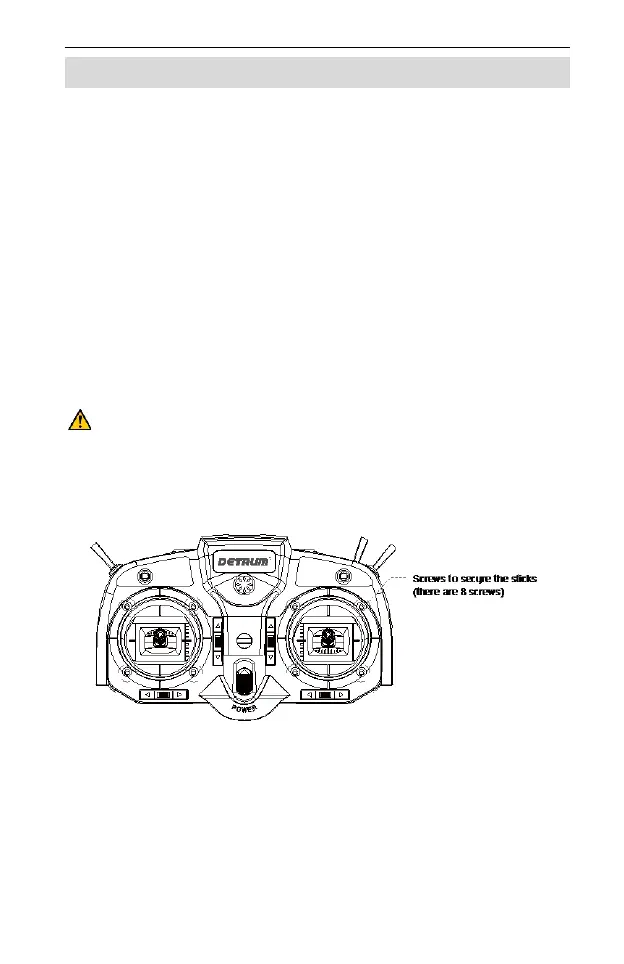
4. Remove the eight screws fixed the sticks on the front cover with a Phillips
screwdriver.
5. Remove the wirings between the sticks and PCB.
6. Take out the two sticks and exchange the location, and tighten the eight
screws on front cover.
7. Reconnect the wirings between the sticks and PCB.
8. Connect the wirings between the PCB and rear cover, close the rear cover,
and then tighten the six screws on the rear cover.



 To Next Page