GAVIN-8C Instruction Manual
- 54 -
If the calibration is successful, it will prompt "Completed!", as shown in the
following figure. If failed, it will prompt "Please Retry!".
Stick Mode [Stick Mode]
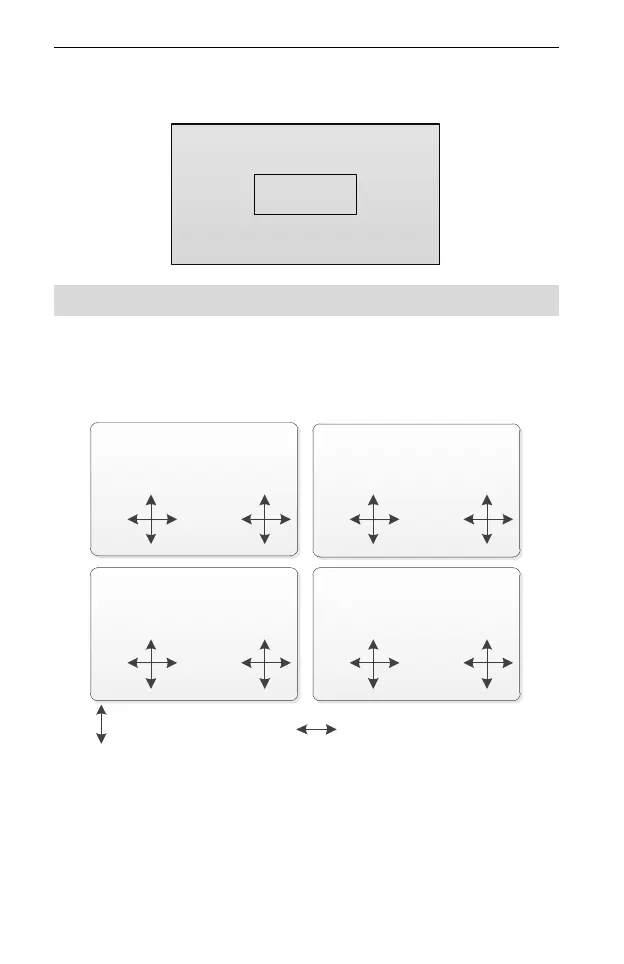
This function is used to change the stick mode to meet different operating habits.
Values: MODE 1, MODE 2, MODE 3 and MODE 4. The default is MODE 1. The
right and left sticks for each mode are shown in the following figure.
MODE 2
throttle
stick
rudder
stick
elevator
stick
aileron
stick
MODE 1
elevator
stick
rudder
stick
throttle
stick
aileron
stick
MODE 3
elevator
stick
aileron
stick
throttle
stick
rudder
stick
MODE 4
throttle stick
aileron
stick
elevator
stick
rudder
stick
It represents the vertical
direction of the stick.
It represents the horizontal
direction of the stick.
Setting Method:
In the System Set menu, press UP or DOWN key to select Stick Mode, and then
press R/+ or L/- key to set the value.
Note:



 To Next Page