User Manual DEV 2194
12 Copyright DEV Systemtechnik GmbH 2013-2017
4 Installation Instructions
4.1 Scope of Delivery
1 * DEV 2194 L-Band Distribution Amplifier
2 * DEV 73-0188 patch cable; 75 Ohm, 2 * F (m); 0.2 m
1 * User Manual (this document)
4.2 Installation of the Product
4.2.1 Mechanical Assembly of the Product
Please refer to the warnings in chapter 2.3 regarding the mechanical integration of
the product. For the assembly in a 19" rack the rack slots must be prepared with
rails for the chassis. After inserting the chassis in the rack, fix the chassis with four
screws to the rack at its rack mount flanges.
4.2.2 Grounding, Data Cables and Power Connection
1
Fuse 2 A T
W ARNING:
Disconnect p ow er
before opening!
50/60 Hz
40 VA
100...240 V
Ethernet
2 3
4
For the warnings with respect to "Grounding, AC Connection, Cables" please refer
to chapter 2.3.
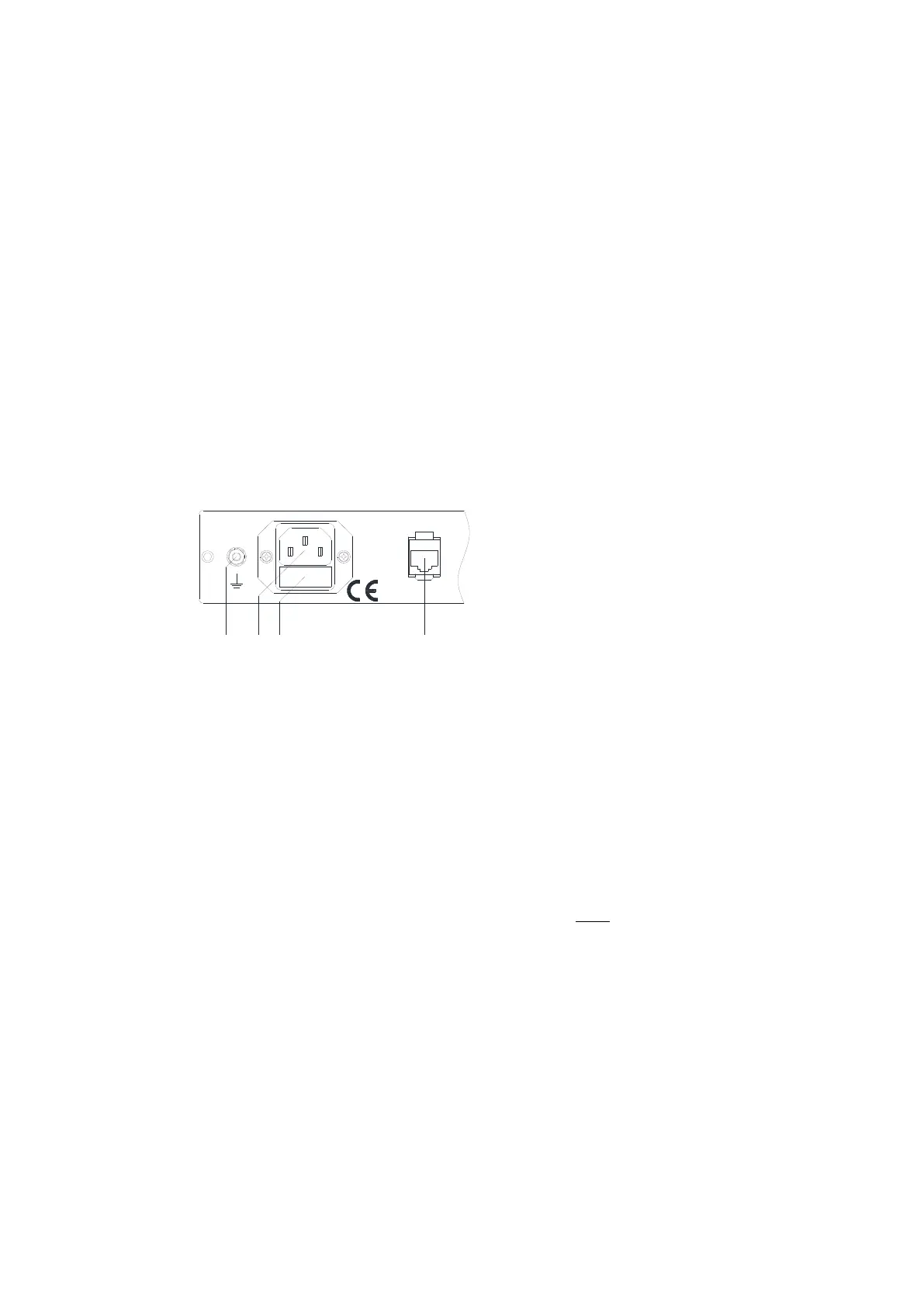
The chassis needs to be connected to the 19" rack via a ground wire. The grounding
bolt is located on the left at the rear side of the product:
Take off the upper nut and the first washer of the grounding bolt (1) and connect
the grounding cable, which must have a ring tongue terminal matching for the M4
fastening bolt. After that, the washer and the nut have to be tightened again.
Establish the external Ethernet connection by plugging an Ethernet cable from your
network to the "Ethernet" port (4).
Finally, connect a power cord to the primary connector (2).
Note:
It is highly recommended to power-up the device after the installation of all
signal cables (chapter 4.2.3).
The power line is fused; the fuse holder (3) is located below the power inlet (2).
If the fuse has to be exchanged, unplug the device and use a 2 A T 5*20 mm
glass fuse for replacement only!
4.2.3 Connection of RF Signal Cables
Apply strain relieves to the external RF signal cables which are to be connected in a
way that the connectors of the device are not stressed mechanically.
If the DEV 2194 is already powered up and before RF signal cables are to be
connected to the chassis, the LNB power of the amplifiers is to be turned off!
Otherwise, there is a risk that a high impulse current degrades the RF performance
of the corresponding RF input connector.



 To Next Page