User Manual DEV 2194
Copyright DEV Systemtechnik GmbH 2013-2017 29
5.4.7.1 User Setup
The menu item User Setup on the left side of the Setup Tab provides access to the
Password and Language entry for all users and access to the User Management
entry for users with "admin" permission.
5.4.7.1.1 Password and Language
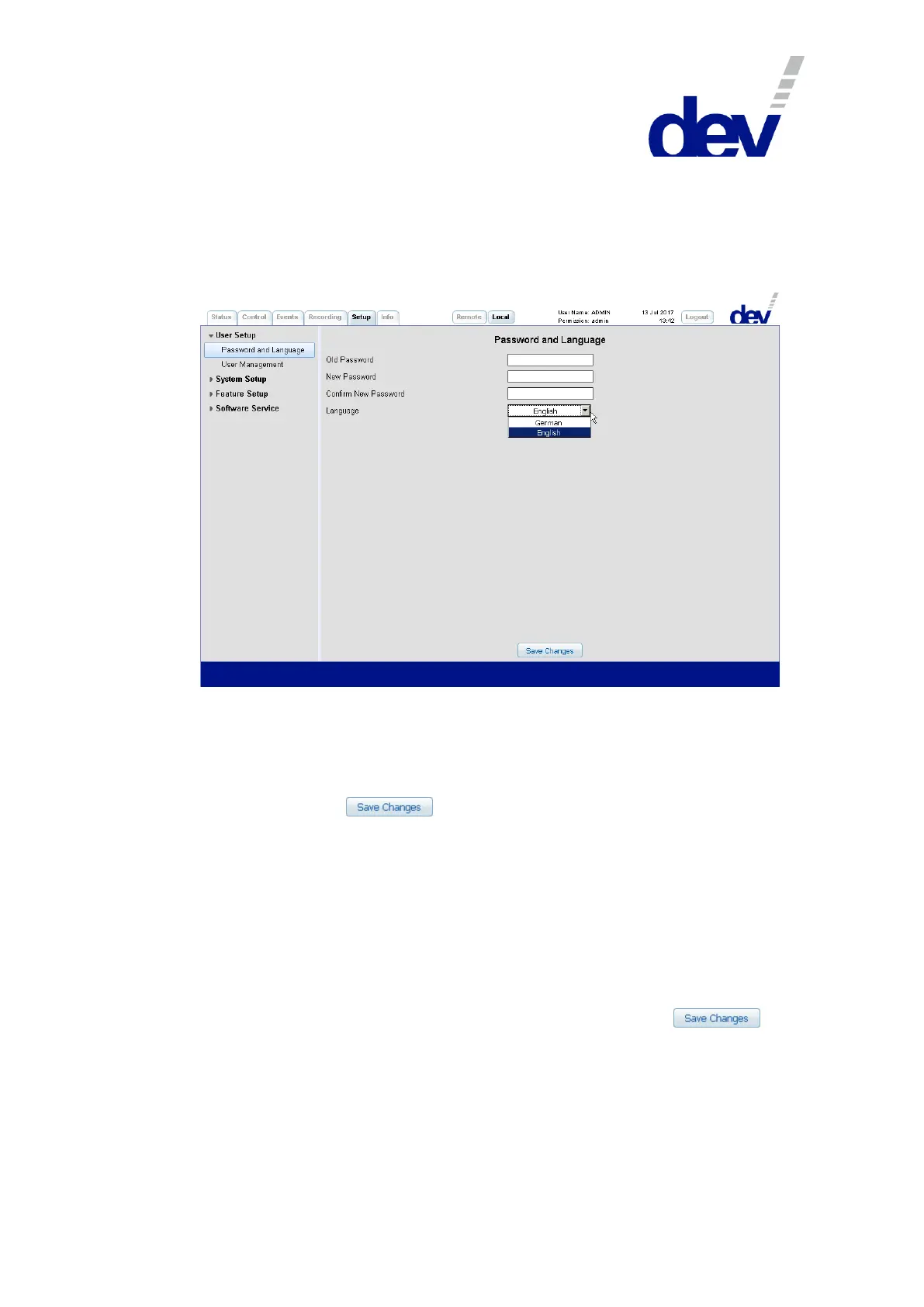
The input fields of the Password and Language entry enable the user who is cur-
rently logged in to change the password and to alter the personal language setting.
To change the password, enter the old password, the new password, and the con-
firmation of the new password.
To change the language, select an entry from the drop down list "Language".
A click on the button applies the changes made.
If the password has been changed, a confirmation window pops up.
Note:
English and German are the languages supported by the current firmware.
5.4.7.1.2 User Management
The currently logged in user has to have "admin" permission to access the User
Management entry where users can be added or deleted and the permission can
be modified.
In the next screenshot, a user named TEST with "admin" permission is in the pro-
cess to be restricted to "read/write" permission. After a click on the
button, this user will then have all rights but only access to the Password and
Language entry within the Setup Tab. A user with "read" permission additionally is
not able to apply any changes within the other tabs of the Web Interface.



 To Next Page