User Manual DEV 2194
Copyright DEV Systemtechnik GmbH 2013-2017 33
Note:
The strings "System Name" and "System Location" are part of standard SNMP
functionality and are limited to 40 characters, each. The number of visible
characters in the text fields is limited by the field size.
As mentioned, the strings "System Name" and "System Location" are also
displayed in the Start Screen of the Web Interface (chapter 5.4.1).
5.4.7.3 Feature Setup
The Feature Setup menu item on the left side of the Setup Tab provides access for
users with "admin" permission to the device specific setup entries, i.e. here to the
Recording entry, only.
5.4.7.3.1 Recording
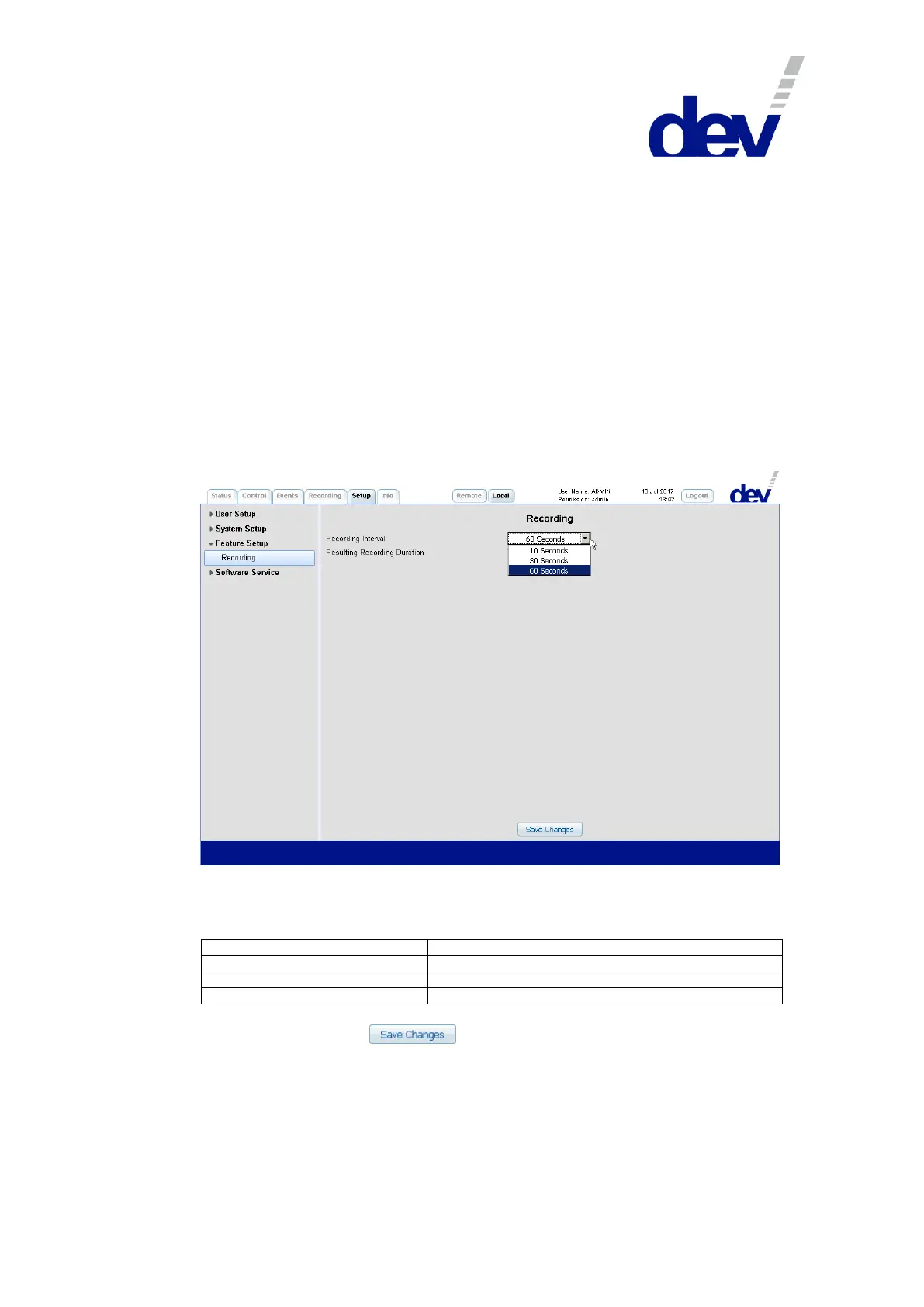
The Recording entry permits the configuration of the interval for the signal
recording functionality; please refer to chapter 5.4.6.
Via the "Recording Interval" drop down list the interval for the regular data capture
can be selected. After an entry was picked, the "Resulting Recording Duration" is
displayed in the line below. The following choices are available:
Resulting Recording Duration
Note:
After clicking on the button with a different recording interval
selected than the currently applied setting all stored recording data is deleted
instantaneously; the recording starts with the new recording interval setting.
The default recording interval setting is 10 seconds; after a Restore Factory
Defaults (chapter 5.4.7.4.1), this setting is applied as well.



 To Next Page