User Manual DEV 2194
26 Copyright DEV Systemtechnik GmbH 2013-2017
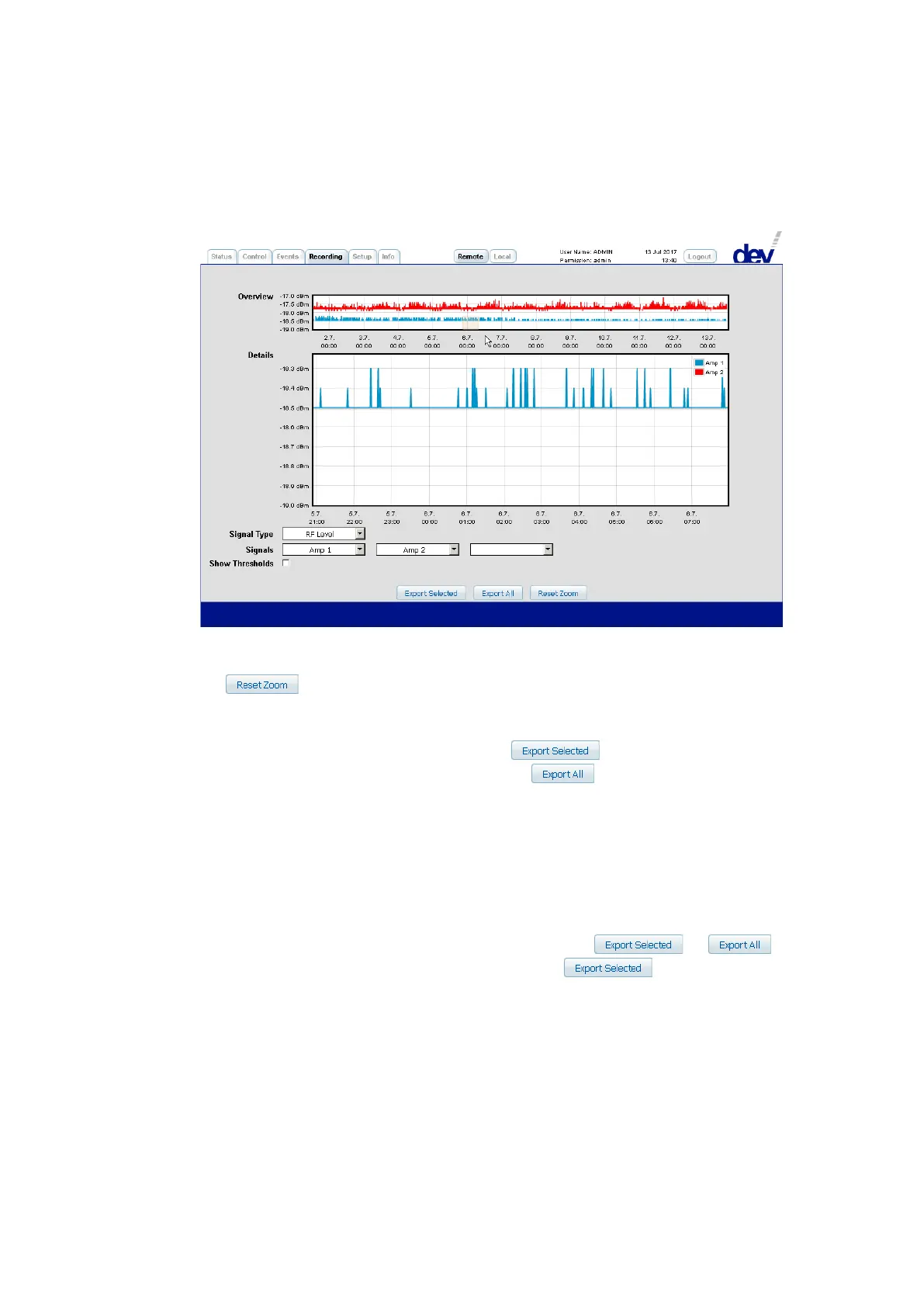
Instantaneously after releasing the left mouse button, the zoomed area appears in
the "Details" diagram while the "Overview" diagram is highlighting the zoomed
area:
Three buttons are located at the bottom of the Recording Tab:
If the recorded data of the selected items was zoomed as described above, the but-
ton resets the data representation to the initial state, i.e. all recorded
data for the selected signals is displayed in both diagrams.
The remaining two buttons provide the option to store the captured data externally
(without the possibly displayed thresholds!). stores the recorded data
of the currently selected signals and the button stores all recorded data of
the device, i.e. the available data of all signals. After operating one of the buttons, a
browser specific window pops up and suggests the storage of the data as
"recording.csv" and as "recording_all.csv", respectively. The csv (comma-separated values)
file format permits the data import e.g. into a MS Excel worksheet:
The csv-file is a text file modeling a table. Each line is interpreted as row containing
column information, here with the columns delimited by a semicolon (";") charac-
ter as the column separator.
The number of columns depends on the export method ( vs. )
and how many signals are currently presented if the button is chosen.
In any case, each signal consists of a "Time" and of a "Value" column; the number
of lines depends on the recording duration (over 17000 lines e.g. within 2 days with
the default 10 seconds recording interval).
The first line of the csv-file is the header line providing the column information. The
first entry is assigned to the first channel (e.g. "Amp 1", indicating the descriptive
designator of the first signal, please refer to chapter 5.4.4), concatenated with the
"Signal Type" (i.e. either "RF Level" or "LNB Power") and with "Time". After the
semicolon, the same entry is listed with "Values" instead of "Time". This sequence is
repeated for all columns that are part of the csv-file.



 To Next Page