ineo 164 10-7
10.2 Toner
10
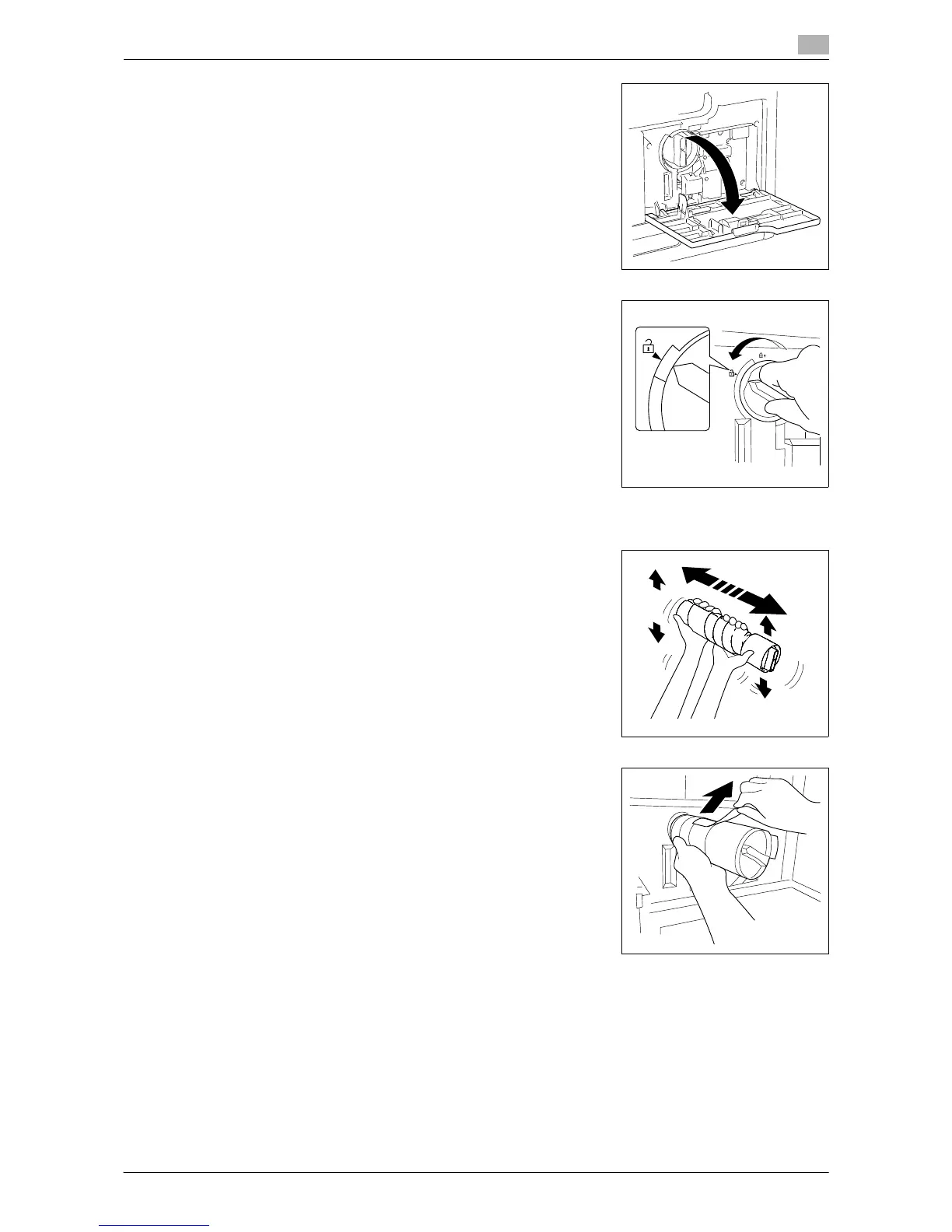
1 Open the Front Cover of the machine.
2 Rotate the empty Toner Bottle counterclockwise to unlock it.
3 Pull out the Toner Bottle.
4 Remove the new Toner Bottle from its packaging, and shake it
side to side 5 to 10 times.
5 Insert the Toner Bottle into the machine a little. While holding the
seal of the Toner Bottle up, slowly peel off the seal.











 To Next Page