[UTILITY]
9
9-8 ineo 164
9.3
9.3.4 [JOB SETTING]
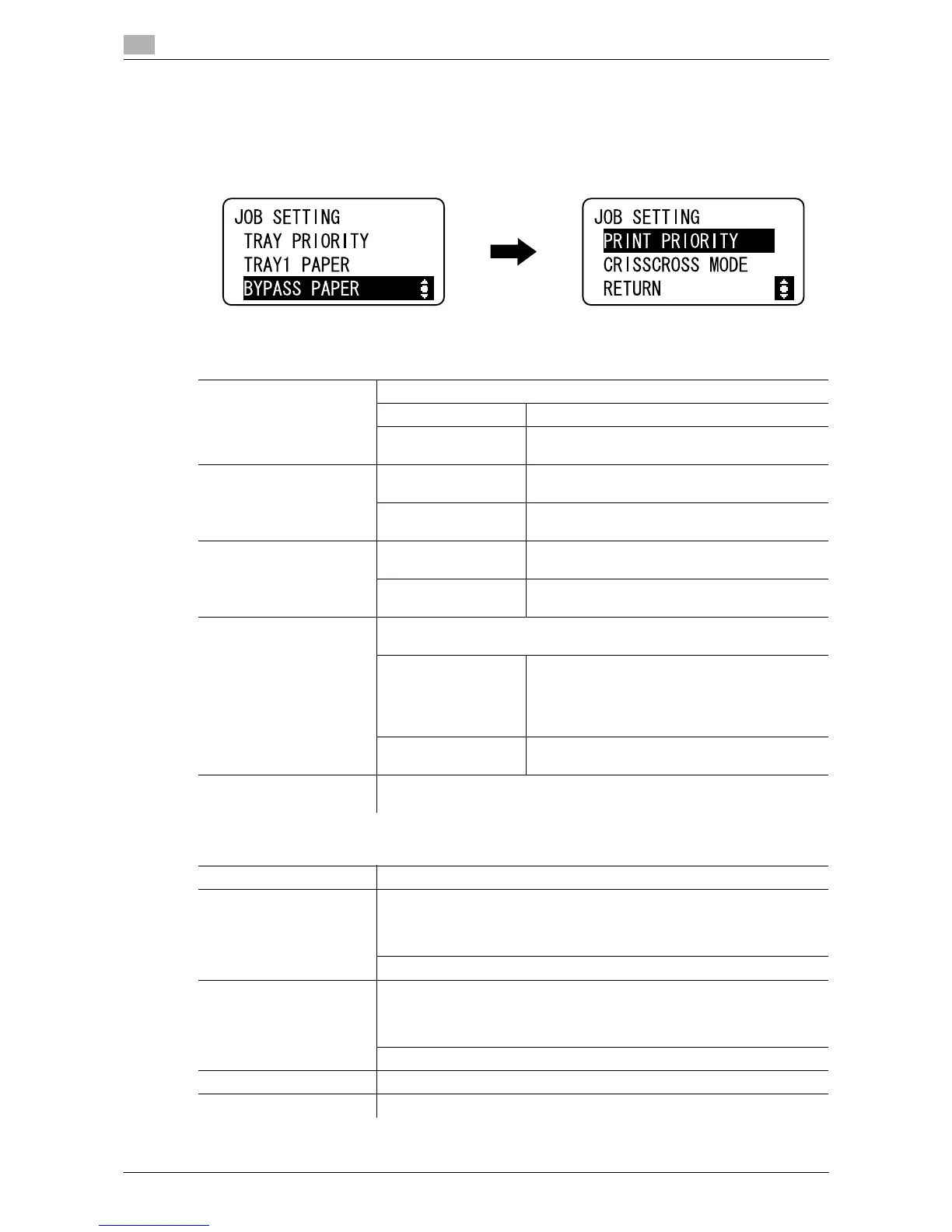
Configure paper settings for each tray and output settings.
% Press the Menu/Select key ö [UTILITY] ö [JOB SETTING].
Settings
[TRAY PRIORITY] Specify the paper tray displayed for default settings.
[TRAY1] Displays Tray 1 as the default paper tray.
[MULTI BYPASS] Displays the Bypass Tray as the default paper
tray.
[TRAY1 PAPER] [SIZE] Select the size of the paper loaded in the paper
tray.
[TYPE] Select the type of the paper loaded in the paper
tray.
[BYPASS PAPER] [SIZE] Select the size of the paper loaded in the paper
tray.
[TYPE] Select the type of the paper loaded in the paper
tray.
[PRINT PRIORITY] Specify whether to give priority to print jobs when the machine receives a
print job while printing copies.
[COPY] The copy operation is given priority for 30 sec-
onds after printing copies.
If no operation is performed for 30 seconds after
printing copies or last copy operation is finished,
execute a print job.
[PRINT] As print jobs are given priority, execute a print
job immediately after printing copies.
[CRISSCROSS MODE] Specify whether or not copies are fed out in an alternating crisscross pat-
tern when the crisscross output conditions are met.
Factory default
[TRAY PRIORITY] [TRAY1]
[TRAY1 PAPER] <Metric area>
[SIZE]: [A4 v]
<Inch area>
[SIZE]: [Letter v]
[TYPE]: [PLAIN]
[BYPASS PAPER] <Metric area>
[SIZE]: [A4 v]
<Inch area>
[SIZE]: [Letter v]
[TYPE]: [PLAIN]
[PRINT PRIORITY] [COPY]
[CRISSCROSS MODE] [OFF]











 To Next Page