ineo 164 4-3
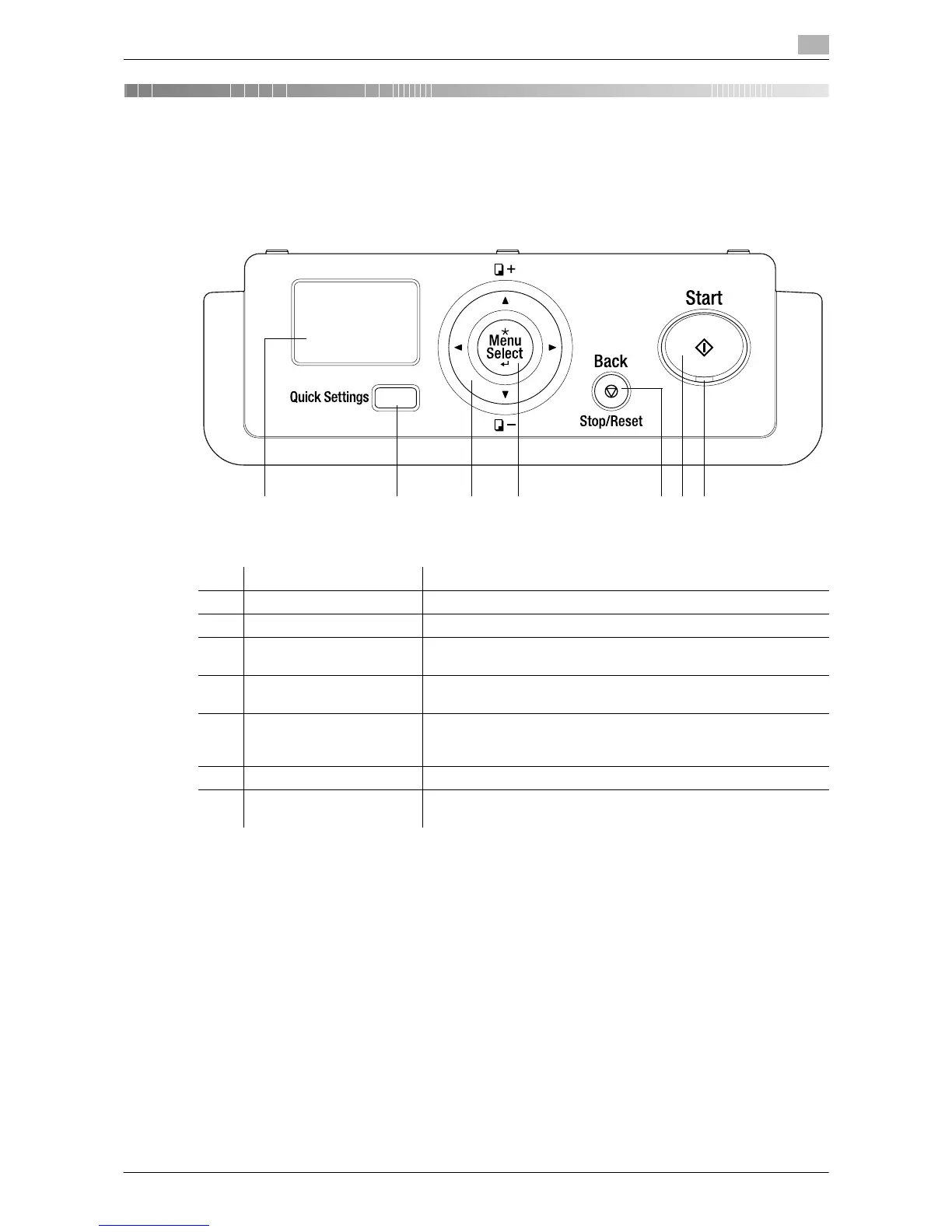
4.1 Control Panel and functions
4
4 Control Panel keys
4.1 Control Panel and functions
No. Name Description
1 Display Various screens and messages are displayed.
2 Quick Settings Press this key to select a menu item on the copy mode screen.
3 +, ,, *, ) Press the corresponding key to select a menu item in the Display
or change its setting.
4 Menu/Select Press this key to enter the menu screen.
Press to apply the menu item or setting selected earlier.
5 Back/Stop/Reset During copy/print operations: Interrupts the operation being run.
Menu screen: Press to return to the previous screen.
Copy mode screen: Press to clear settings.
6 Start Press this key to start the copy operation.
7 LED Steadily lit up to indicate that the machine is in the Sleep mode or
ready for receiving a job.











 To Next Page