TWAIN scanner driver
8
8-4 ineo 164
8.1
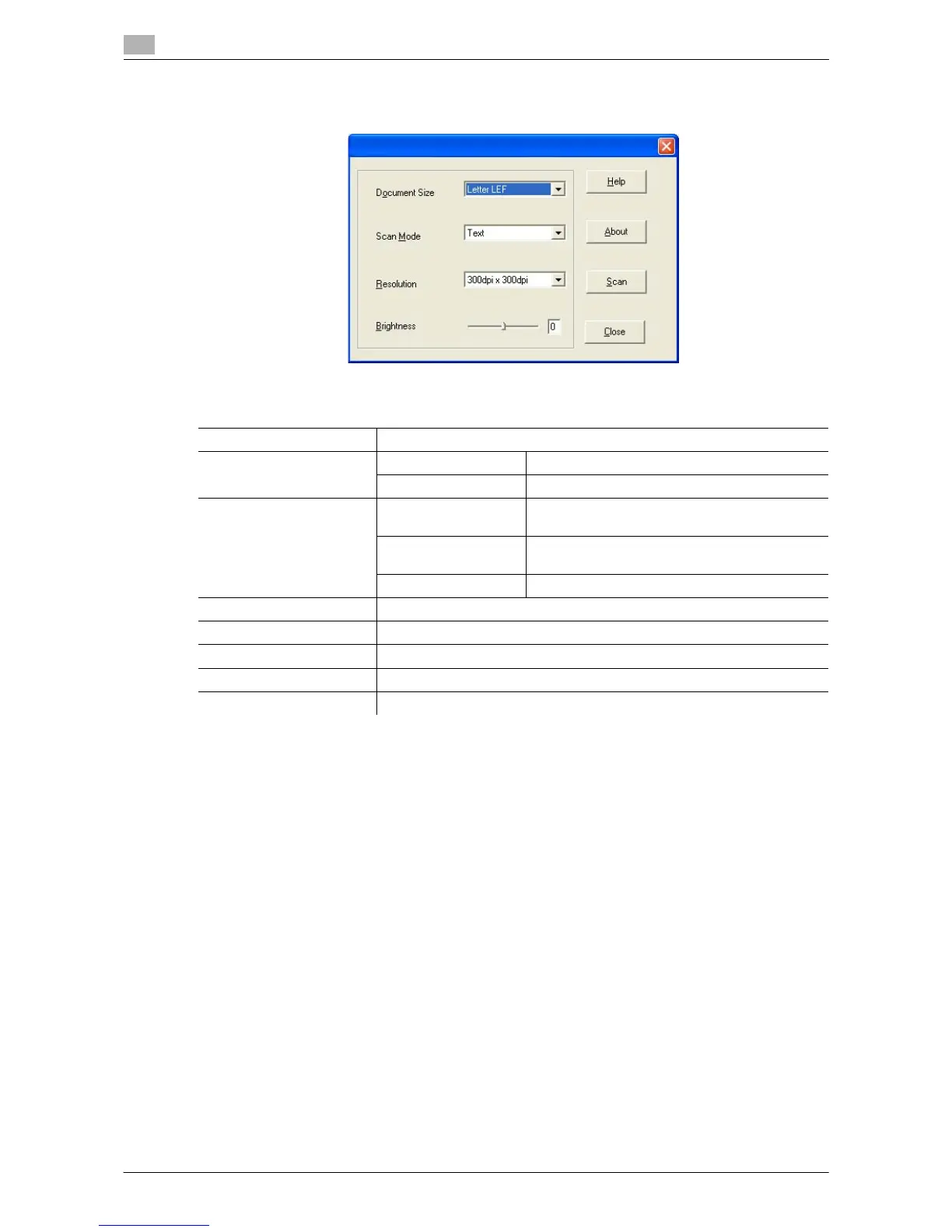
8.1.2 TWAIN scanner driver settings
Settings
[Document Size] Select the paper size to be scanned.
[Scan Mode] [Text] Suitable for common text document.
[Photo] Suitable for common photograph document.
[Resolution] [150 dpi e 150 dpi] Normal resolution for the standard size character
(e.g. typed document) and scan efficiency.
[300 dpi e 300 dpi] Higher resolution for the small character (e.g.
newspaper).
[600 dpi e 600 dpi] The highest resolution for image data.
[Brightness] Adjust the brightness of the image.
[Help] Click this button to display the help files.
[About] Click this button to display version information.
[Scan] Click this button to scan an image.
[Close] Click this button to close the properties window.











 To Next Page