ineo 164 5-13
5.3 Application settings ([COPY FUNCTION])
5
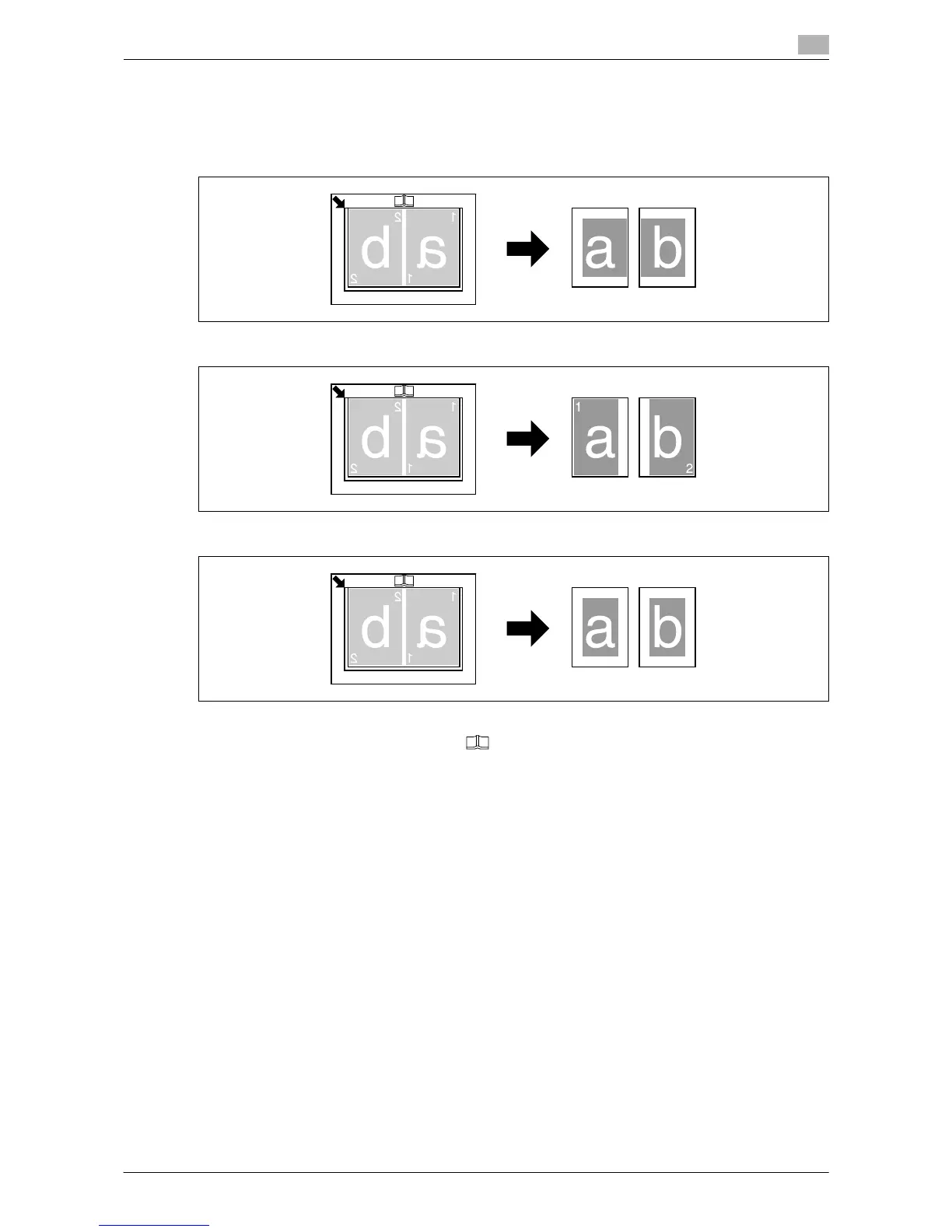
[ERASE] + [BOOK SEPARATION]
Book Separation copies can be produced by erasing shadows along the binding and unnecessary areas
around the original text.
[FRAME ERASE]
[CENTER ERASE]
[CENTER+FRAME ERASE]
0 Place the original so that its upper side faces the back side of the machine.
0 Align the center of the original with the mark on the Original Scale.
0 Place the original with the w orientation and load paper with the v orientation.
0 The length of the paper that can be loaded should not exceed 216 mm (8-1/2 inches).
0 Load paper that is half the size of the original.
0 The erase width varies according to the zoom ratio setting.
0 Specify [BOOK SEPARATION] in advance.











 To Next Page