ineo 164 3-7
3.2 Basic operations
3
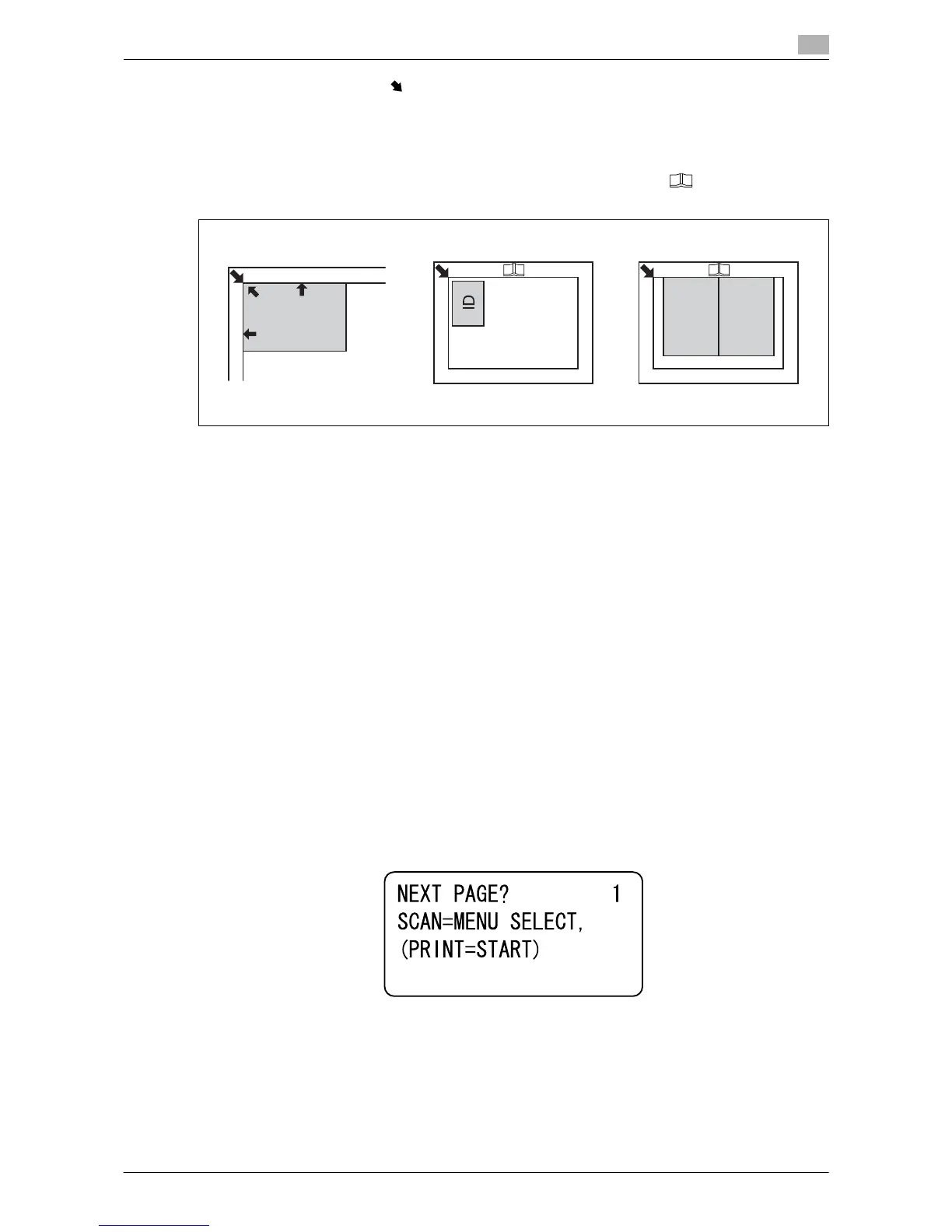
3 Align the original with the mark in the back-left corner of the Original Scale.
% For transparent or translucent originals, place a blank sheet of paper of the same size as the original
over the original.
% For the ID Copy, position the original 4 mm (3/16 inches) away from the Original Scale.
% For double-page spread originals such as a book or a magazine, position the top of the original to-
ward the back of this machine and align the center of original with the mark on the Original
Scale.
4 Close the Original Cover.
3.2.3 Basic copy operations
1 Place the original face down on the Original Glass.
2 From the Control Panel, specify the necessary copy settings.
% For details on copy functions, refer to page 5-5.
% Combine frequently used copy settings into programs and register them with this machine. These
programs can easily be recalled as programs. For details on programs, refer to page 5-15.
3 Specify the number of copies you desire.
Press the + or , key to increase or decrease the number of copies by one at a time.
% To clear the specified number of copies, press the Back/Stop/Reset key ö [QUANTITY].
4 Press the Start key.
The original is scanned and copied.
% To interrupt the copy operation being performed, press the Back/Stop/Reset key.
% If the following screen appears, place the new original on the Original Glass, then press the
Menu/Select key to scan it.
To start printing, press the Start key.











 To Next Page