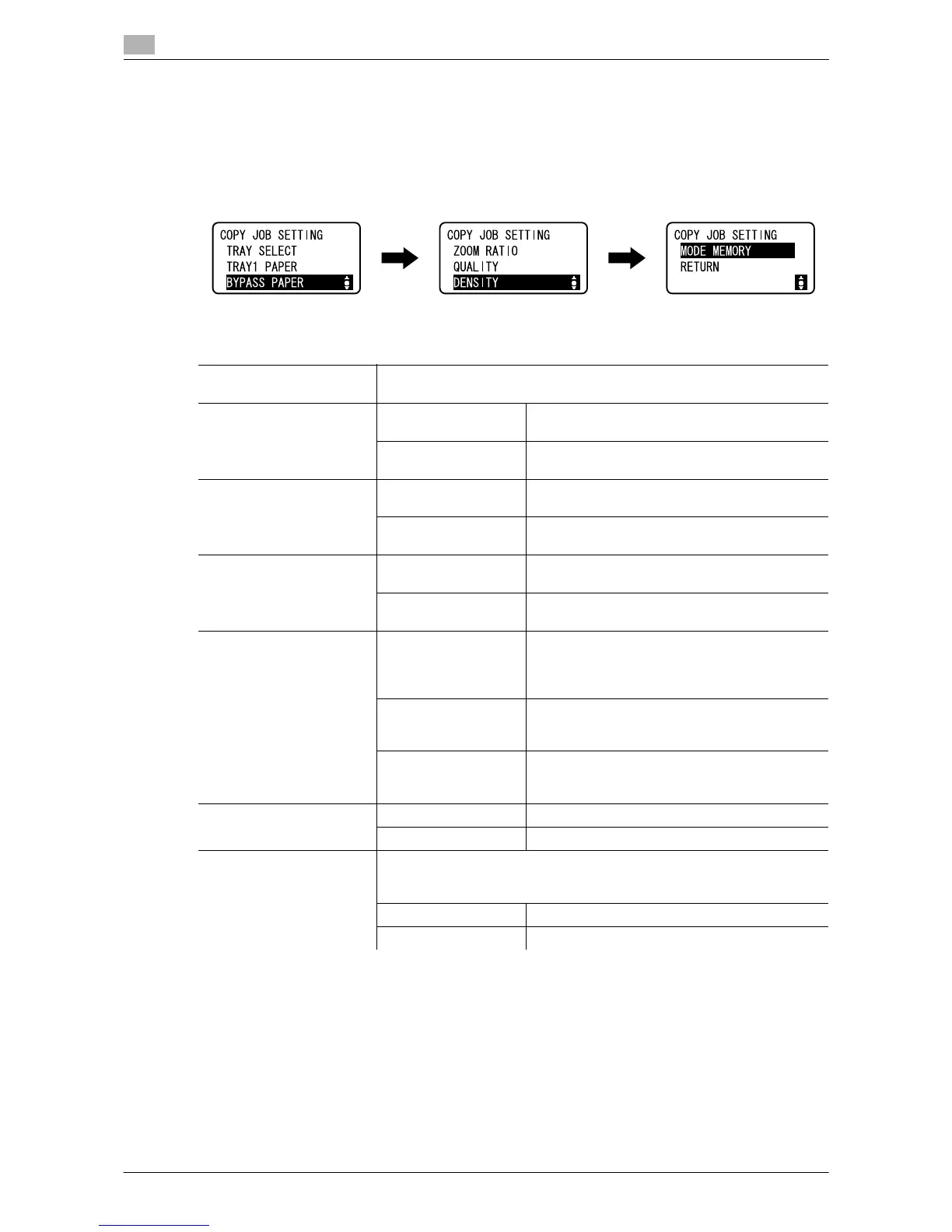
[COPY JOB SETTING]
9
9-4 ineo 164
9.2
9.2 [COPY JOB SETTING]
Configure the paper for the paper tray.
Also, set the quality and density to adjust copy image quality.
% Press the Menu/Select key ö [COPY JOB SETTING].
Settings
[TRAY SELECT] Select the paper tray loaded with the desired paper.
For details on loading paper, refer to page 3-4.
[TRAY1 PAPER] [SIZE] Select the size of the paper loaded in the paper
tray.
[TYPE] Select the type of the paper loaded in the paper
tray.
[BYPASS PAPER] [SIZE] Select the size of the paper loaded in the paper
tray.
[TYPE] Select the type of the paper loaded in the paper
tray.
[ZOOM RATIO] [FIXED] Select a preset zoom when copying from a fixed
size original onto a fixed size paper.
[MANUAL] The zoom ratio can be set between 50% and
400%.
[QUALITY] [TEXT/PHOTO] Select this option when the original consists of
text and photos. The edge of the text is repro-
duced sharply, while photos are reproduced as a
smooth image.
[TEXT] Select this option when the original consists of
text only. The edge of the text is reproduced
sharply.
[PHOTO] Select this option when the original consists of
photos only. Photos are reproduced as a smooth
image.
[DENSITY] [AUTO] The density level is automatically adjusted.
[MANUAL] The density level is manually adjusted.
[MODE MEMORY] Combine frequently used copy settings into programs and register them
with this machine. These programs can easily be recalled as programs. Up
to two programs can be registered.
[RECALL] Recall a program.
[REGISTER] Register a program.











 To Next Page