[UTILITY]
9
9-6 ineo 164
9.3
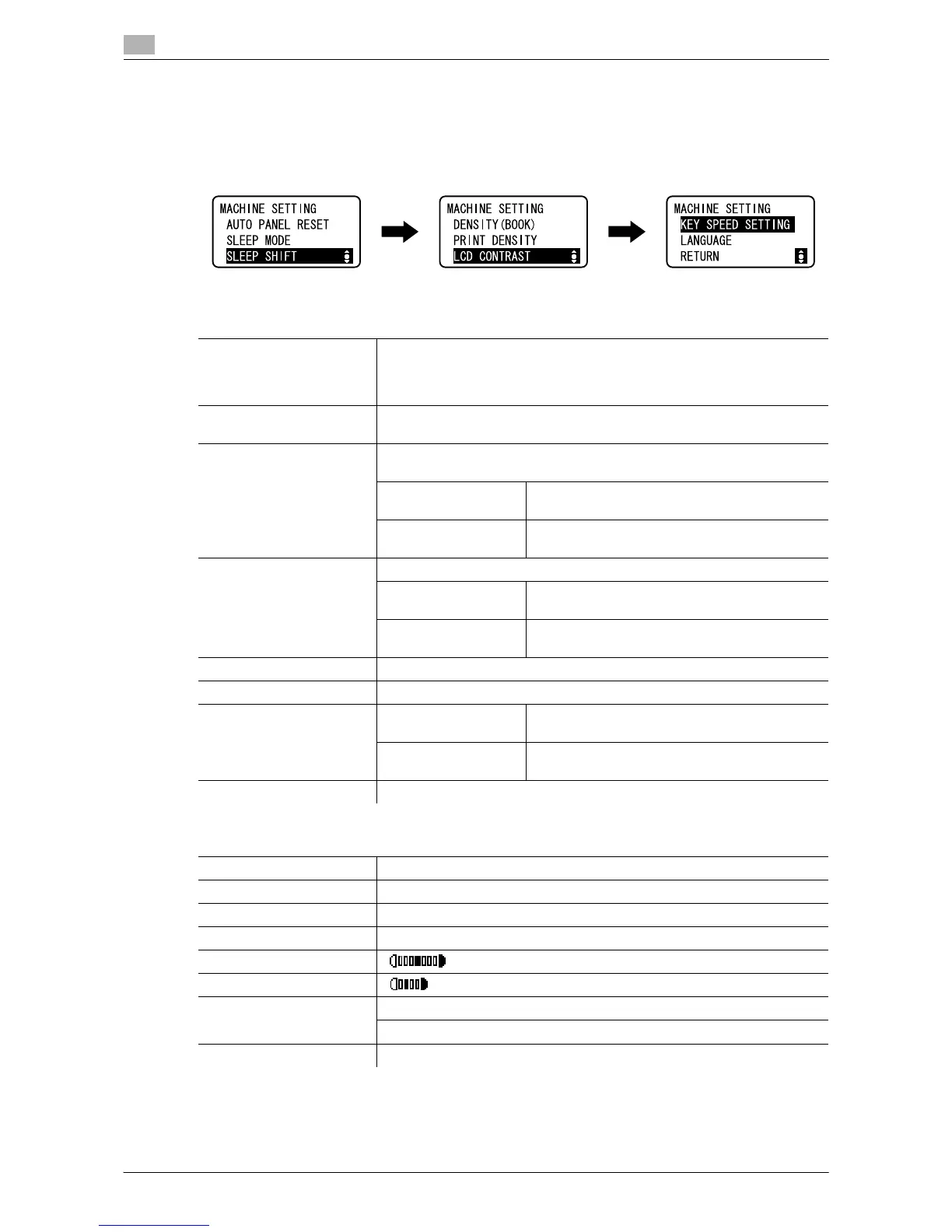
9.3.1 [MACHINE SETTING]
Specify settings for the machine's operating environment.
% Press the Menu/Select key ö [UTILITY] ö [MACHINE SETTING].
Settings
[AUTO PANEL RESET] Specify a length of time until the Auto Panel Reset function is operated if
no operation is performed.
When the Auto Panel Reset function is performed, the machine automati-
cally returns to the default settings.
[SLEEP MODE] Specify a length of time before switching to the Sleep mode if no operation
is performed.
[SLEEP SHIFT] Specify whether to shift to the Sleep mode immediately after a print job is
executed while the machine is in the Sleep mode.
[DISABLE] Enters the Sleep mode when the time specified
in the [SLEEP MODE] setting has elapsed.
[ENABLE] Enters the Sleep mode immediately after the
print job is executed.
[DENSITY (BOOK)] Adjust the image density level.
[MODE1] Produce copies at the same density as that of
the original.
[MODE2] Lighten the copy density and reduce spots in the
copy.
[PRINT DENSITY] Select one of the seven density levels for printing from a computer.
[LCD CONTRAST] Adjust the brightness of the Display.
[KEY SPEED SETTING] [TIME TO START] Specify a length of time until the value begins to
change after a key is held down.
[INTERVAL] Specify the length of time for the value to change
to the next number.
[LANGUAGE] Set the language of the Display.
Factory default
[AUTO PANEL RESET] [1 min]
[SLEEP MODE] [15 min]
[SLEEP SHIFT] [ENABLE]
[DENSITY (BOOK)] [MODE1]
[PRINT DENSITY]
[LCD CONTRAST]
[KEY SPEED SETTING] [TIME TO START]: [1s]
[INTERVAL]: [0.1s]
[LANGUAGE] [ENGLISH]











 To Next Page