ineo 164 5-9
5.3 Application settings ([COPY FUNCTION])
5
[4in1]
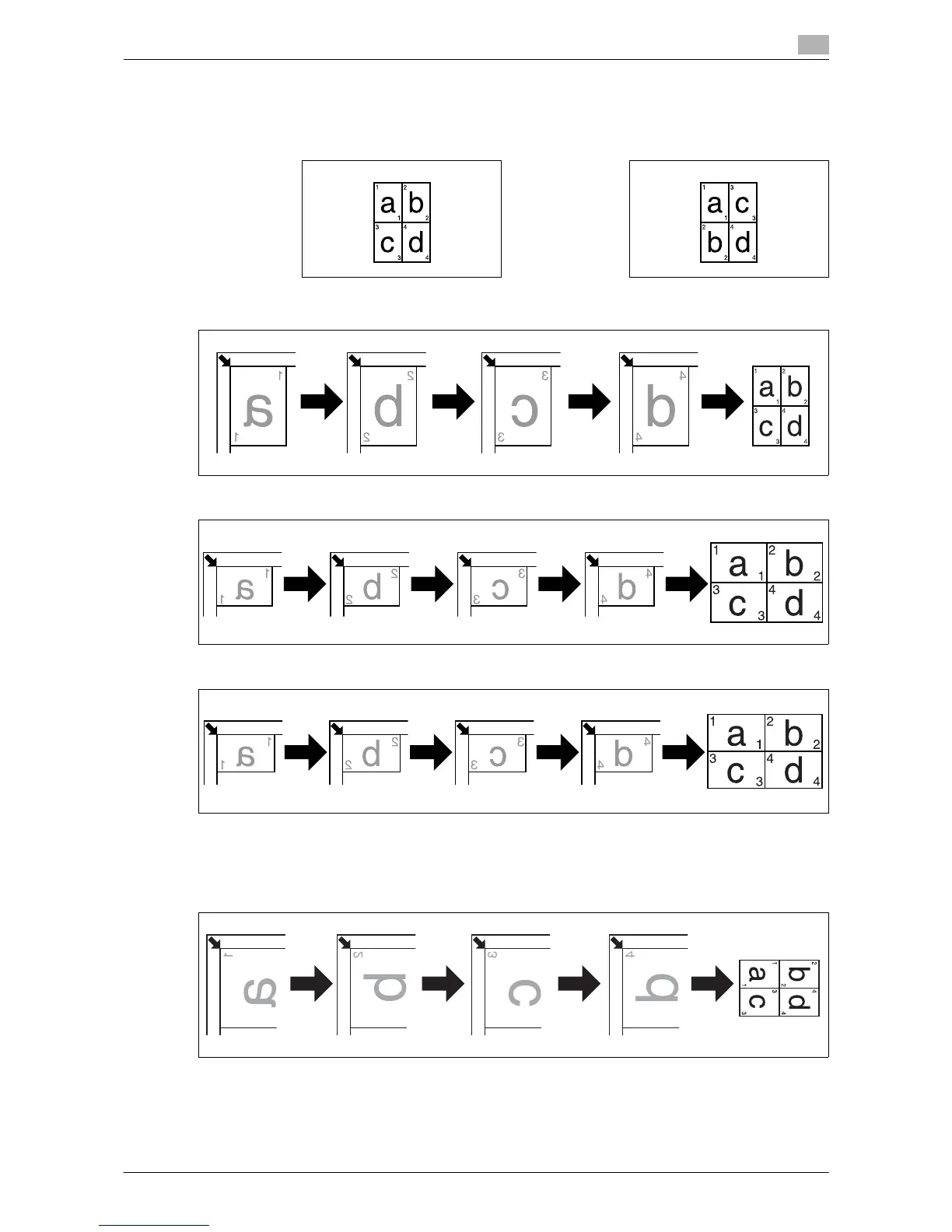
Copies images of four original pages onto a single sheet of paper.
Two patterns are available for the 4in1 combine order of the original.
Original size: A4, Paper size: A4, Zoom ratio: 50%
Original size: A5, Paper size: A3, Zoom ratio: 100%
Original size: 5-1/2 e 8-1/2, Paper size: 11 e 17, Zoom ratio: 100%
0 The zoom ratio is automatically set to 50% (Inch: 50%). Load paper of the same size as the original.
0 If the size of the original differs from that of the paper being used, change the zoom ratio manually.
0 If originals are placed as shown below, images are not copied in order.
Original size: A3, Paper size: A3, Zoom ratio: 50%
% Press the Menu/Select key ö [COPY FUNCTION] ö [COMBINE ORIGINAL] ö [4in1].
[PATTERN1] [PATTERN2]











 To Next Page