Field Service Ver. 1.0 Apr. 2005 10. Service Mode
99
ineo 161
ineo 210
Adjustment / Setting
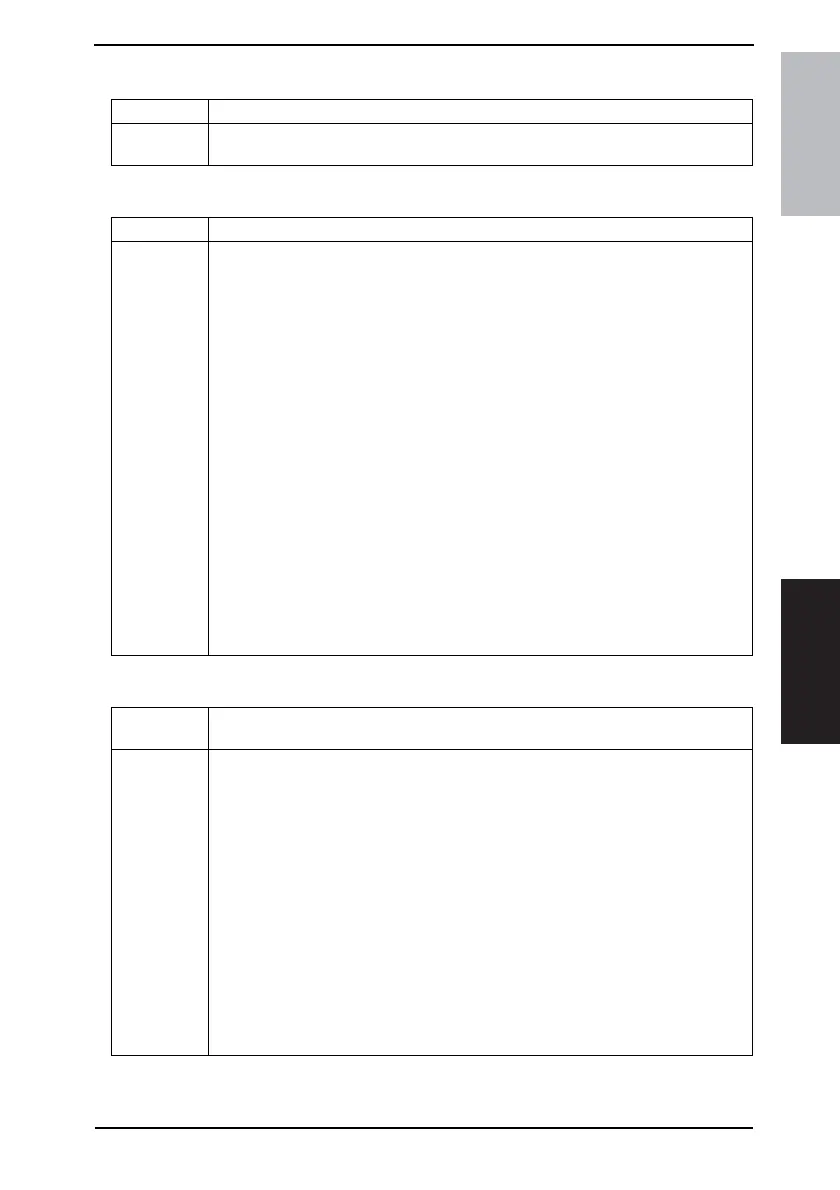
G. SCAN COUNTER
H. PAPER SIZE COUNTER
I. MISFEED COUNTER
Purpose/Use To display the count of the Scan Counter.
Setting/
Procedure
• The number of scan motions carried out for copying is not counted.
• To clear the count, use “Clear Data” of the Service mode.
Purpose/Use To display the count of the number of sheets of paper used for each size and type.
Setting/
Procedure
1: A3
2: B4
3: A4 L
4: A4 C
5: B5
6: A5
7: FLS
8: LEDGER
9: 11 × 14
10: LEGAL
11: LETTER L
12: LETTER C
13: INVOICE
14: OTHER
15: PLAIN PAPER
16: RECYCLE PAPER
17: SPECIAL PAPER
18: 1-SIDE PAPER (should not be used only for ineo 161)
19: OHP
20: THICK PAPER
21: ENVELOPE
• To clear the count, use “Clear Data” of the Service mode.
Purpose/Use To display the count of the number of paper misfeeds that have occurred at different
parts of the copier.
Setting/
Procedure
1: BYPASS
2: TRAY1
3: TRAY2
4: TRAY3
5: TRAY4
6: TRAY5
7: PICK-UP/TSPT.
8: DUPLEX (ENTRANCE) (should not be used only for ineo 161)
9: DUPLEX (FEED) (should not be used only for ineo 161)
10: FUSER
11: SEPARATOR
12: ADF (PICK-UP)
13: ADF (TSPT.)
14: ADF (EXIT)
15: ADF (REVERSE) (should not be used only for ineo 160)
• To clear the count, use “Clear Data” of the Service mode.










 To Next Page