OPERATOR’S MANUAL
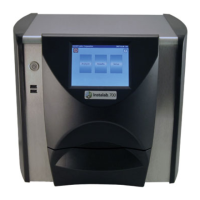
GAC® 2100 Grain Analysis Computer (Blue, Gray, Agri Models)
11001-1688-201609
UNPACKING THE INSTRUMENT 7
UNPACKING THE INSTRUMENT
DISENGAGE SHIPPING BRACE
The shipping brace must be moved to the operate position before
applying power. Since the grain test cell cycles through an unload
sequence during power up, damage may occur with the shipping
brace in the transport position.
The GAC 2100 is shipped with the grain test cell supported by an internal
shipping/transport brace. This brace supports the test cell whenever the unit
is transported. The position of the brace is controlled by a handle located on
the rear panel behind the grain test cell (Figure 5). A small spool is placed
over the handle to prevent possible bumping and release of the handle
during shipment.
To Disengage Shipping Brace:
1. Remove spool and store with shipping materials.
2. Push the handle in to unlock position and rotate counterclockwise to
the locked operate position as indicated on the back panel.
– The movement of the brace is viewable through the front window of
the unit.
Figure 3
Disengaging Shipping Brace
Shipping Brace Transport Handle
Operate
position
Transport
position



 To Next Page
 Loading...