OPERATOR’S MANUAL
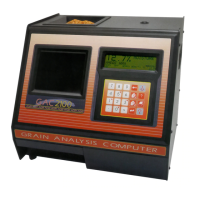
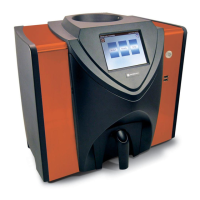
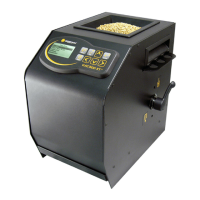
GAC® 2100 Grain Analysis Computer (Blue, Gray, Agri Models)
11001-1688-201609
CALIBRATE PROCEDURES 27
CALIBRATE PROCEDURES
The Calibration menu allows authorized personnel to:
• view calibration constants of selected grains
• enter new or change existing calibrations
• print the entire list of stored grain calibrations
• obtain calibration data necessary to generate new calibrations
• print audit memory data (Blue model)
Choose a function by selecting the number key corresponding to the
desired function (Figure 20).
Figure 20
Calibration Menu With Status Page
VIEW CALIBRATION DATA (1 KEY)
The View Calibration menu allows for viewing and printing of a selected
grain calibration (Figure 21). Editing cannot be performed in this function.
To View Grain Calibrations:
1. From the Calibration menu, choose View Calibration by selecting the
1 key.
2. Choose a grain calibration to view from the grain list pages and then
select the corresponding number key.
–Use the Next Page key to view additional pages, if applicable.
3. The View Calibration screen displays the grain name, moisture range,
calibration issue date, and the nine calibration K values.
4. If a printer is connected, FACTORS (Blue model) are defined and
AUTO RANGE is specified in the calibration, this information also
prints. The lower right corner of the View Calibration screen indicates
<more> meaning another page is available.
5. Blue model-Press the Next Page key to display the Factors screen.
The Factors screen displays the grain name and up to four defined
factors. If the grain does not have defined factors, the labels are empty.
The <more> prompt also displays on this page.
CALIBRATION MENU
1: VIEW CALIBRATION
2: ENTER/CHANGE CALIBRATION
3: PRINT CALIBRATION LIST
4: OBTAIN CALIBRATION DATA
5: PRINT AUDIT MEMORY DATA
SELECT ITEM NUMBER (NEXT PAGE: STATUS)
STATUS
CYCLE COUNTER: 435
THIS COUNTER INCREMENTS AFTER EACH
SAMPLE MEASUREMENT OR DATA COLLECTION
SEQUENCE IS SUCCESSFULLY COMPLETED
View and print
selected grain
calibrations only.
Enter new or
edit existing
grain calibrations.
Print a list of
grain calibrations.
Obtain data to
determine
calibration constants
for a specic grain.
Print and/or
clear Audit
trail information
(Blue model)
Represents the total count
of samples processed since
the counter was last reset.
Next Page Key
Print Key


 To Next Page
 Loading...