OPERATOR’S MANUAL
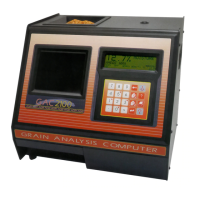
GAC® 2100 Grain Analysis Computer (Blue, Gray, Agri Models)
11001-1688-201609
INSTRUMENT SETUP 41
3. Select the desired function. Use the Up/Down Arrow keys (0 and 5
keys) to select and the Left/Right Arrow keys (1 and 3 key) to set the
desired value. If both selections are set to NO, grain sample ID is
optional for each test.
Figure 32
Selecting ID Options
CONFIGURE OUTPUT OPTIONS (3 KEY)
OUTPUT OPTIONS configure information appearing on the display/printer
for measured test results (Figure 34). These selections are typically made
once and not changed again, but may be altered as necessary. Selections
are available only to authorized personnel through either the User ID Code
from the computer site or as outlined below.
To Change the Output Options:
1. From the Setup menu, select OUTPUT OPTIONS (3 key). A screen
displays instructions on how to proceed.
Locating the Instrument Security Button:
2. Locate the access port door located on the back of the instrument and
remove seal, if necessary, from the door.
3. Remove screw to open access port door.
4. Press the white security button located on the bottom of the circuit
board to advance to the next screen.
SETUP MENU
1: CLEAR COUNTER
2: ID OPTIONS
3: OUTPUT OPTIONS
4: EDIT ACCESS CODE
SELECT ITEM NUMBER
<more>
5: DATE/TIME MENU
6: LABELS MENU
7: COM MENU
8: SERVICE MENU
ID OPTIONS
ENTER ACCESS CODE: __
ID OPTIONS
AUTOMATIC SEQUENTIAL ID: YES
ENTER REQUIRED FOR ID : NO
TO SELECT,
TO CHANGE
Up/Down Arrow Keys
Left/Right Arrow Keys


 To Next Page
 Loading...