AIR_Manual_506a_ENG_rev_1.pdf Page 72/96
GpsDump for Android via USB cable
:
o Connect the AIR to the Smartphone using a USB cable and a USB-OTG (On-The-Go) adapter; driver
installation is not required.
o On your instrument, press the button (“MENU” function), use the and to scroll down to "AirTools"
and press to enter. If your Bluetooth is turned on (only AIR-BT models), you will need to choose between
communication via USB cable or Bluetooth, in this case, press for USB cable.
o
when communicating via USB cable, it is important to select “
” every time you are required to
choose a GPS from the “Select GPS type” list.
o
To download a tracklog from your AIR:
click on the “TRK” tab, then on ”READ” and select “Digifly Air” from
the “Select GPS type” list. From the flight list, click on the one you want to download and save it in IGC
format. If applicable, you can then send it directly to the XCContest server.
o
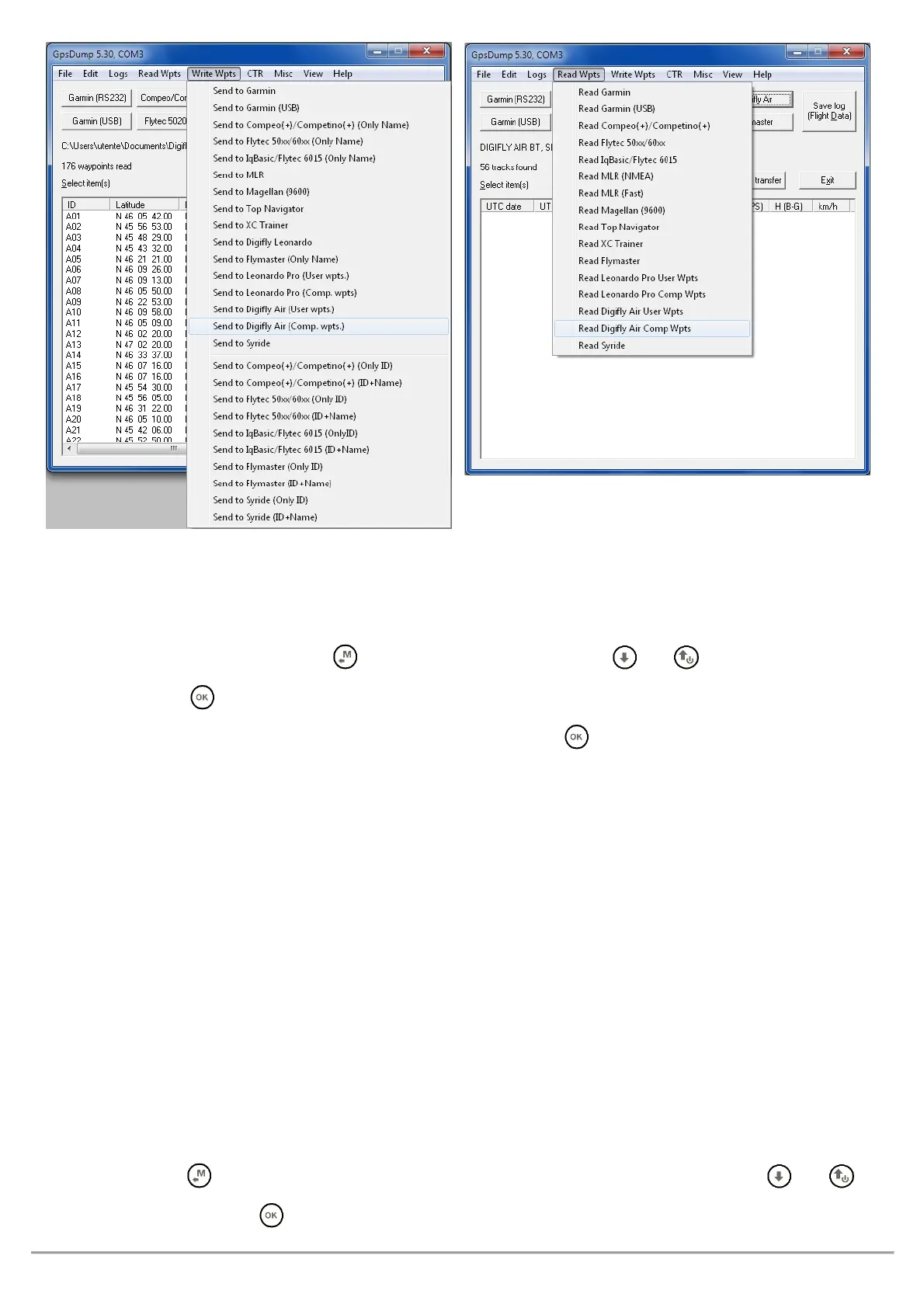
To upload waypoints to your AIR
: click on the “WPT” tab, then read file waypoint and select all the waypoints
you want to upload, click on write GPS” and select “Digifly Air” from the “Select GPS type” list, finally choose
the “wpt user” or “wpt competition” bank to store the waypoints.
o
To download waypoints from your instrument
: click on the “WPT” tab, then read GPS, select “Digifly Air” from
the “Select GPS type” list, choose “wpt user” or “wpt competition” and then click on “write waypoint” on file.
GpsDump for Android via Bluetooth
:
o Ensure that the
ADVANCED SETUP \ n. 26 BLUT
parameter is set to
and to have already paired your
Android device to your Digifly AIR-BT (see paragraph 13.2.1).
o Press the button (“MENU” function) on your AIR and scroll down to "AirTools" using the and
buttons, then press to enter. You will be prompted to choose between communication via USB Cable or



 To Next Page