AIR_Manual_506a_ENG_rev_1.pdf Page 73/96
Bluetooth, press the button (via Bluetooth).
o
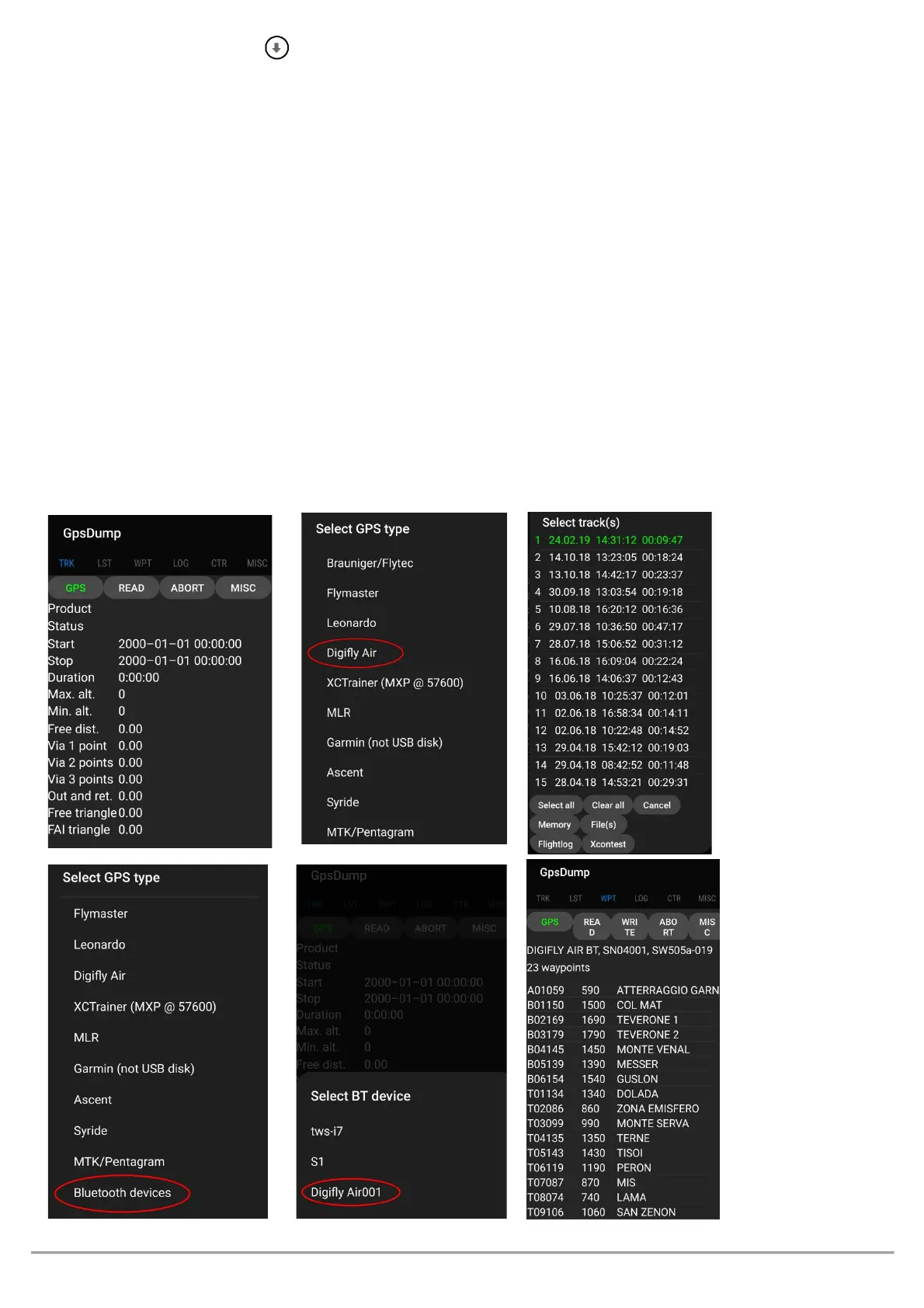
when using Bluetooth communication, it is important to make sure to select “
” (last
item on list) from the “Select GPS type” list and then select your instrument by clicking on “
”
where “XXX” are the last 3 digits of your AIR’s serial number; for example, "Digifly Air123"
o
To download a tracklog from your instrument
: click on “TRK” then on ”READ”, select “Bluetooth Devices”
from the “Select GPS type” list then from “Bluetooth devices” and click on your “Digifly AirXXX”. From the list,
click on the flight you want to download and save it in IGC format; if applicable, you can send it directly to
the XCContest server.
o
To upload waypoints to your AIR
: click on “WPT” then on read file waypoint, select all the waypoints you want
to upload, then click on “write GPS”, select “Bluetooth devices” from the “Select GPS type” list and click on
your “Digifly AirXXX” from the “Select BT device” options and then choose the “wpt user” or “wpt
competition” bank to store the waypoints.
o
To download waypoints from you AIR
: go to “WPT” then read GPS, select “Bluetooth devices” from the
“Select GPS type” list, then go to “Select BT device” and select your “Digifly AirXXX”, choose the “wpt user”
or “wpt competition” bank and then write waypoint on file.
o See the example pictures below:



 To Next Page