66 XR150/XR350/XR550 User Guide Appendix B
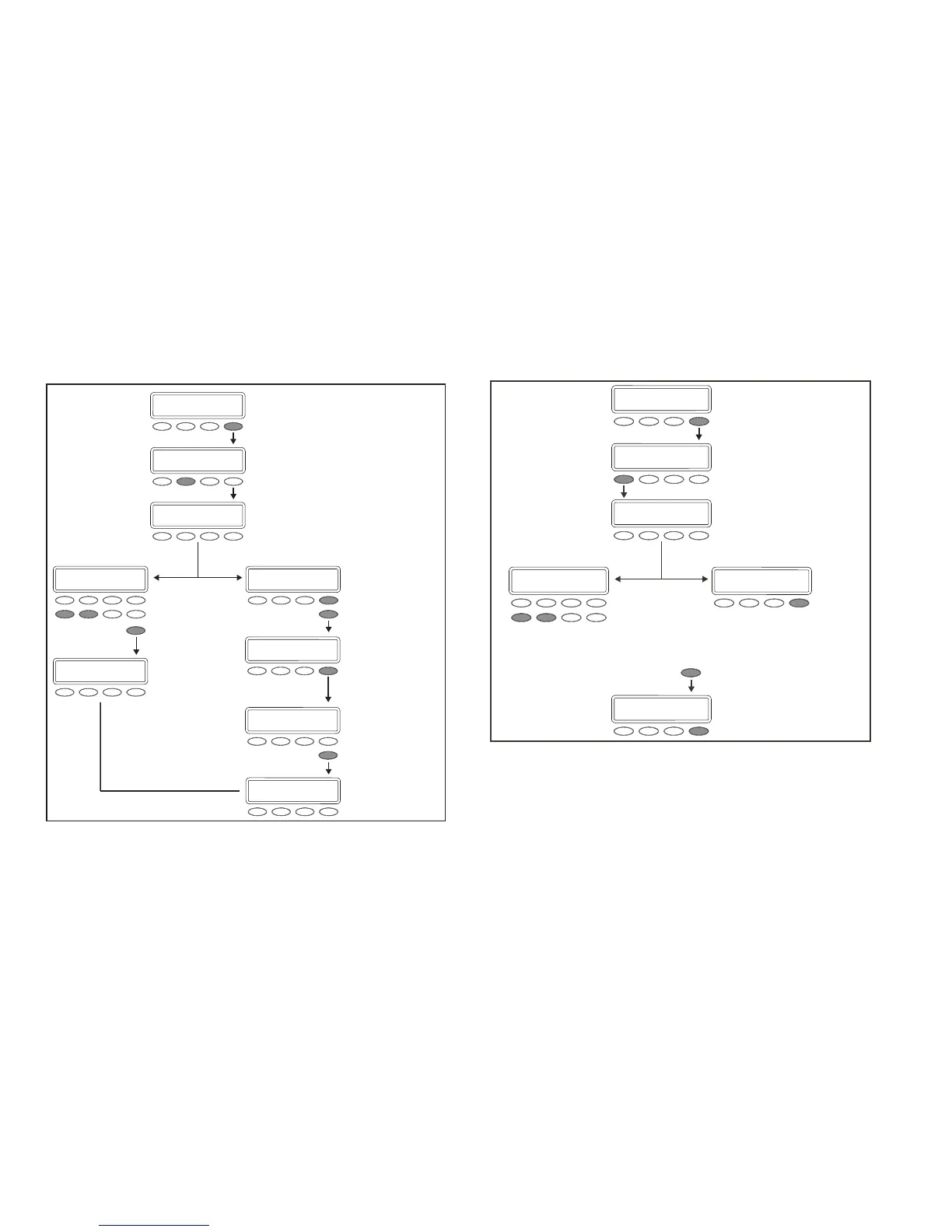
Delete User Codes Browser
Access the User Menu. Press the
COMMAND key until USER CODES?
displays.
SELECT
DEL.
At this prompt, you can enter a user number
or scroll through the list of user names.
Enter a user number.
View current user names
.
Press any SELECT key/area.
Press COMMAND.
Press
COMMAND.
The first available
user name displays.
The next available
user name displays.
If this is the user you
want to delete, press
any SELECT key/area.
Verify the user number.
Press COMMAND.
USER CODES?
ADD DEL CHG
USER NUMBER:
USER NUMBER: 13
CMD
1 2 3 4
MIKE JONES
CMD
KATIE SMITH
USER 13 DELETED
USER NUMBER: 013
CMD
USER 13 DELETED
Add User Proles Browser
Access the User Menu.
Press COMMAND until
USER PROFILES displays.
SELECT ADD.
At this prompt, you can enter a new
profile number or scroll through the
available (unused) profile numbers.
Enter a new profile number.
View available profile numbers
Press any SELECT key/area.
Follow the prompts to select
all profile options and press
COMMAND when finished.
The first
available
profile
number
displays.
USER PROFILES?
ADD DEL CHG
.
PROFILE NO: -
USER NUMBER: 12
CMD
1 2 3 4
USER NUMBER: 012
PROFILE 012 ADDED













 To Next Page