Power
2-14 72A-2337-01 Rev. B 11/05
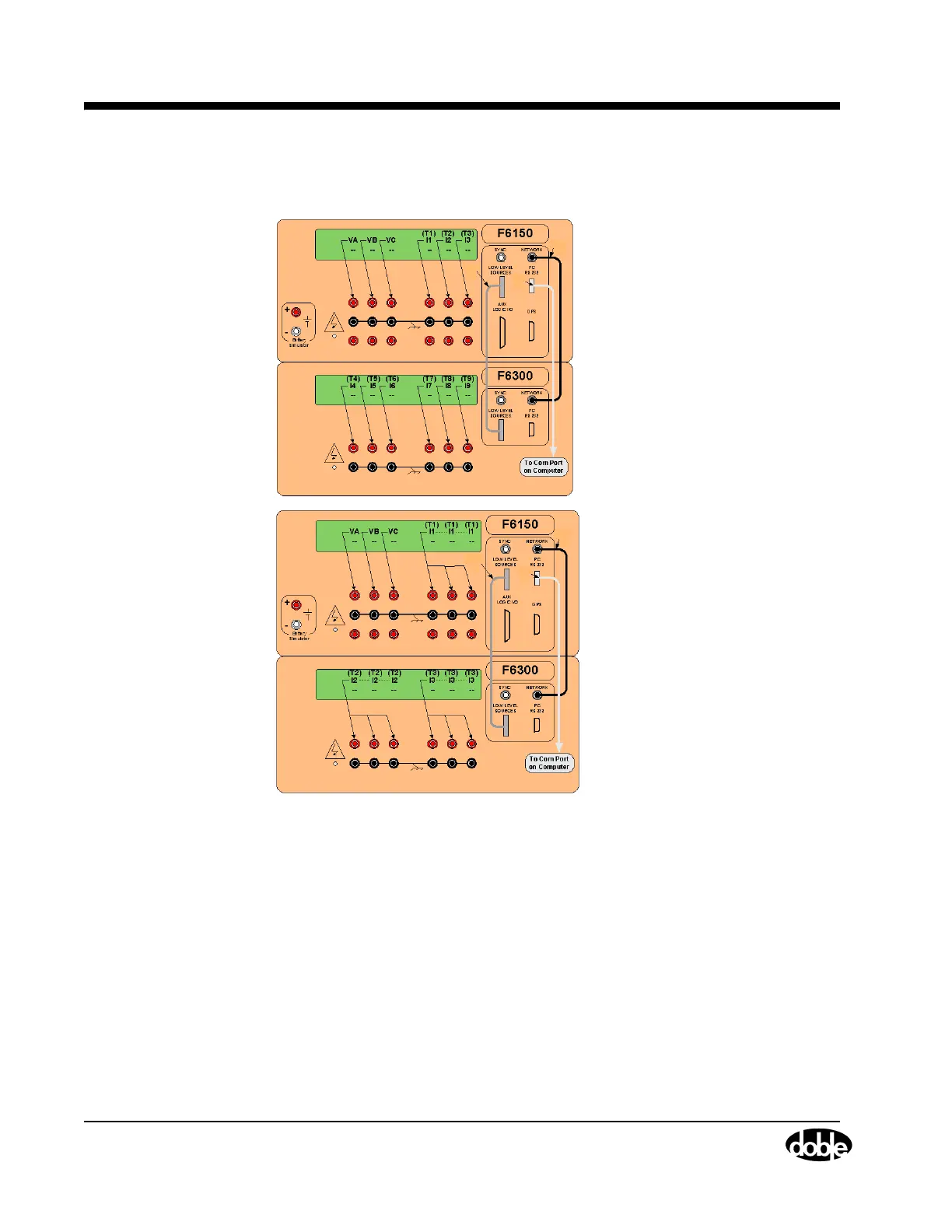
3. Connect a DB9 RS232 cable with male and female ends to the comm port of your PC RS 232
connector on the F6150.
1
2
3
1
2
3
Three Voltages
and Nine
Currents
Three Voltages
and Three
Currents
Figure 2.17 Low Level Source Connections
Power
The connection for the electrical cord is in the lower left-hand corner of the front panel. The
On/Off switch for the unit is directly above the power connection. The F6300 is factory
configured to use either 115 V or 230 V 50/60 Hz power as specified when ordering. The
instrument front panel is labeled at the power entry receptacle with the selected power option.



 To Next Page