System Errors
4-14 72A-2337-01 Rev. B 11/05
System Errors
System errors are indicated on the Source Table of the ProTesT Control Panel Version 2. A System
error occurs when an Instrument component controlled by ProTesT is functioning improperly.
For example, a current amplifier overheats and ProTesT shows a system error message
(
Figure 4.8).
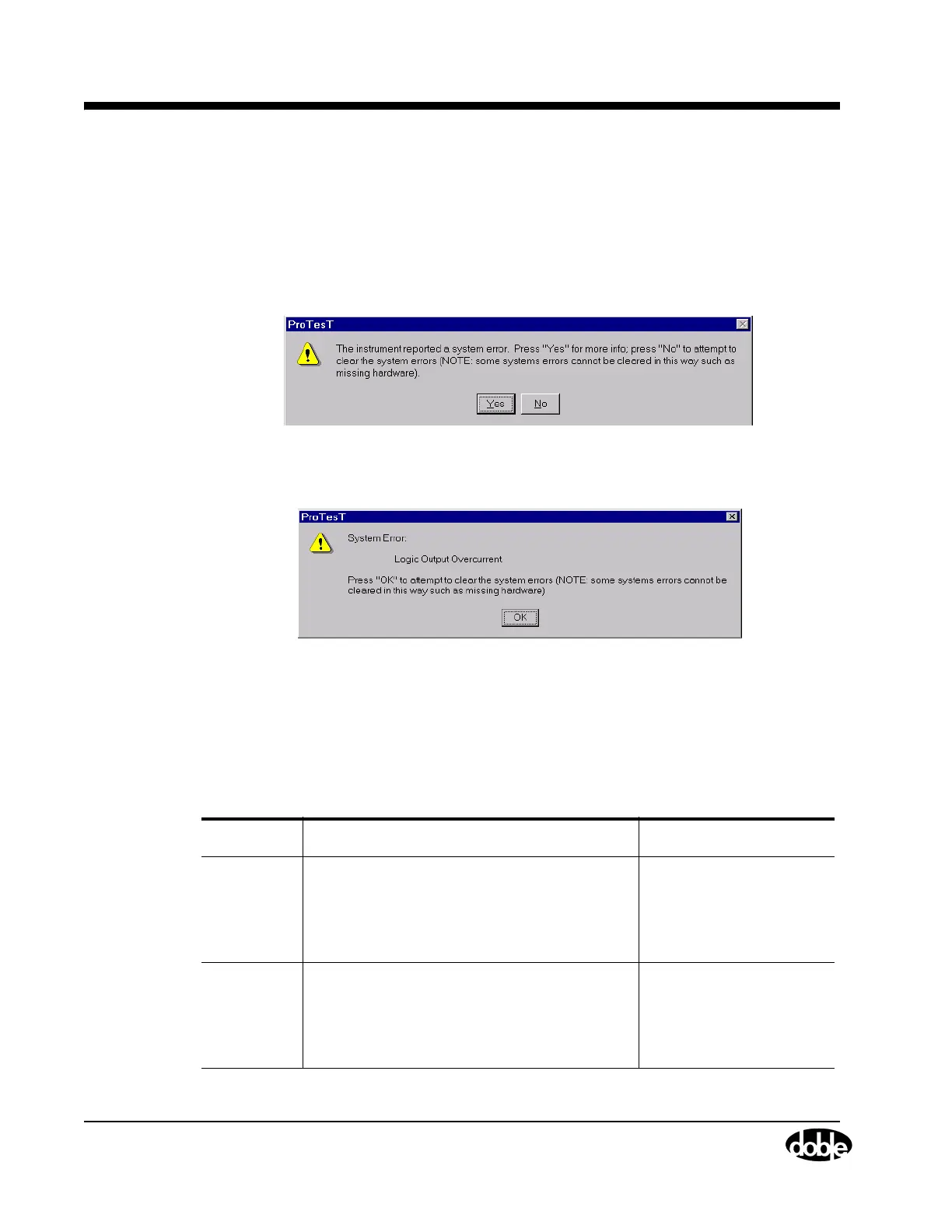
System errors display in a ProTesT dialog box. Figure 4.8 shows the first message that appears.
Figure 4.8 System Error
Click Yes for more information about the system error, as in Figure 4.9.
Figure 4.9 System Error Explanation
Click OK to close the dialog box and clear the system error. As the note in the dialog box
indicates, the system error does not clear if the problem is related to a bad amplifier or missing
hardware.
Use Table 4.6 to diagnose and correct system errors.
Table 4.6 System Error Resolution
Error Description Action
Current
monitor
(Power sup-
ply high
amps)
Input line current is too large.
Hardware detects that the Instrument is draw-
ing too much current from the wall. The total of
all amplifier outputs exceeds system specifica
-
tions.
Reduce the source ampli-
tude or reduce the load.
Voltage
monitor
(Power sup-
ply high
volts)
Either the AC input line voltage is too high, or
power is being fed back into the F6300 through
the amplifier outputs.
Reduce the input line volt-
age.



 To Next Page