Setting the F6300 IP Address
B-4 72A-2337-01 Rev. B 11/05
Setting the F6300 IP Address
The Set IP Address utility sets or changes the IP address that the instrument uses for Ethernet
communications. The current IP address of the instrument, if assigned, appears in the display on
the instrument front panel after a successful boot-up.
NOTE Before setting the F6300 IP address, ensure that the computer is directly connected via a Serial,
(RS232), cable to the F6300.
To set the F6300 instrument’s IP address:
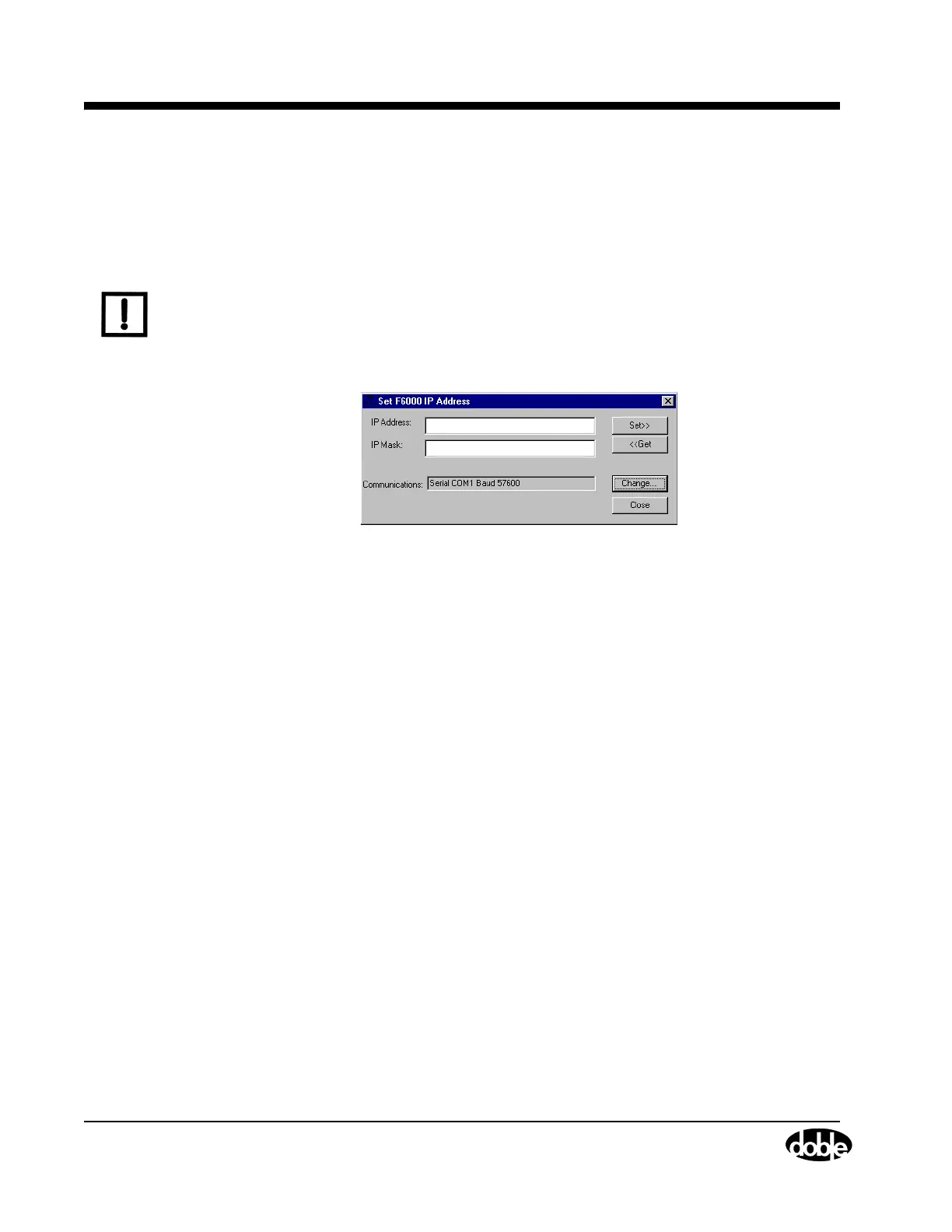
1. Select Tools > F6000 IP Set in the ProTesT menu bar and the Set F6000 IP Address dialog
box appears (
Figure B.6).
Figure B.6 Set F6000 IP Address
2. Enter the IP Address in the IP Address field.
3. Click Set.
4. Click Get to obtain the IP Mask that corresponds to the IP Address entered in Step 2. The
mask name appears in the IP Mask field.
If necessary, click Change to enter new communications parameters. Refer to
”Communications Parameters” on page A-3.



 To Next Page