Serial Communication to F6000 Instruments
2-10 72A-2337-01 Rev. B 11/05
Serial Communication to F6000 Instruments
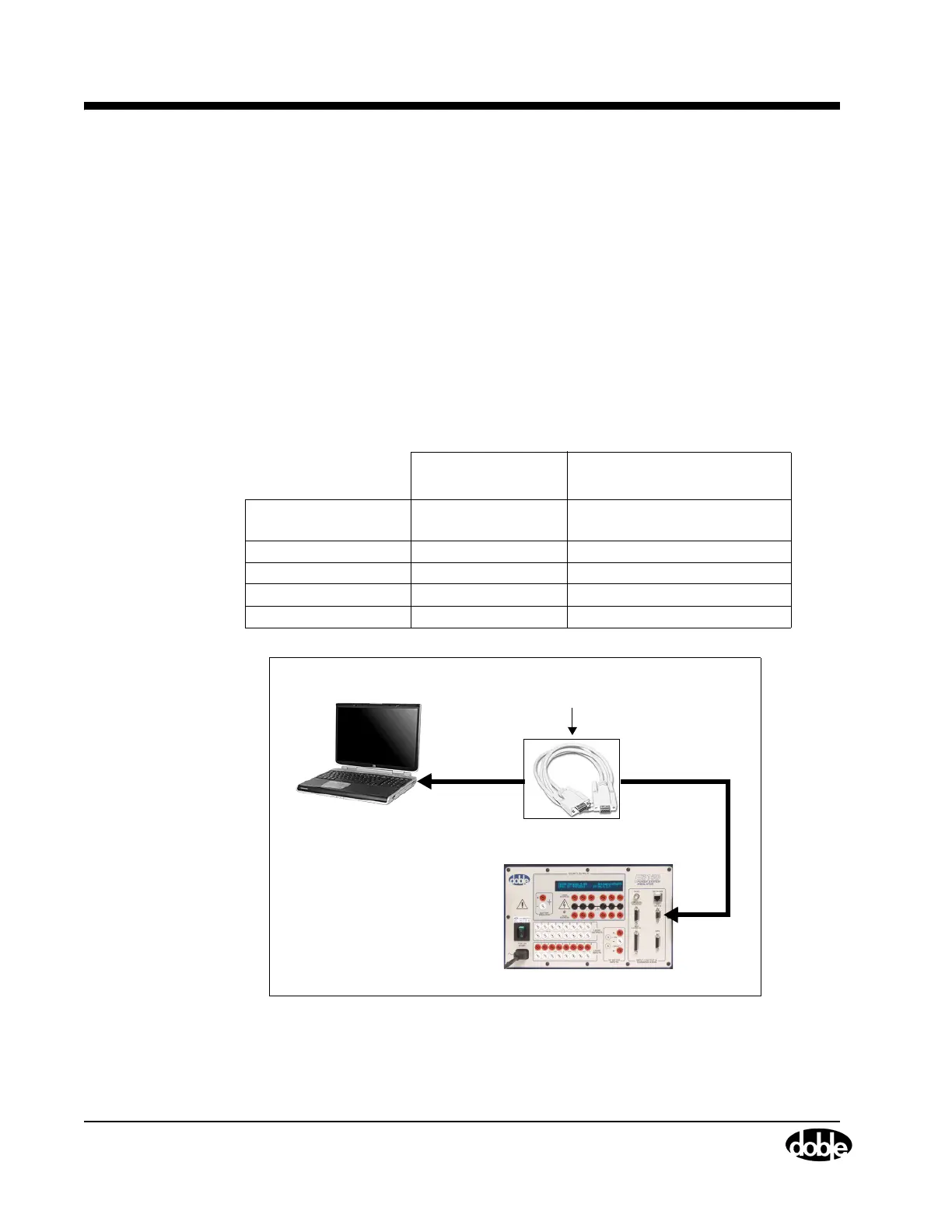
The configurations for serial communications include:
• Computer to CPU1 or CPU2 F6150
• Computer to CPU1 F6150/CPU1 F6300
• Computer to CPU2 F6150/CPU2 F6300 with CAT5 Crossover Cable
• Computer to CPU2 F6150/CPU2 F6300 with Switch/Hub
• Computer to CPU2 F6150/CPU1F6300
• Computer to CPU1 F6150/CPU2 F6300
Table 2.2 lists the Serial communications setup parameters. Figure 2.11 through Figure 2.16
on page 2-13 shows the configurations.
Table 2.2 Serial Communications Setup
Instrument
Connection
Cable Type
Comm Port Select desired
communication port
Comm Port 1 through 32
Baud Rate 57600 Not user changeable.
IP Address Not Applicable
Slave Addr Not Applicable
Connect with Serial
CPU1 or CPU2 F6150
DB9 - DB9 Modem Serial Cable (401-0167)
to/from the PC Serial Port or USB-Serial Adapter
and the CPUx F6150 PC RS-232 connector.
Figure 2.11 Computer to CPU1 or CPU2 F6150



 To Next Page