12
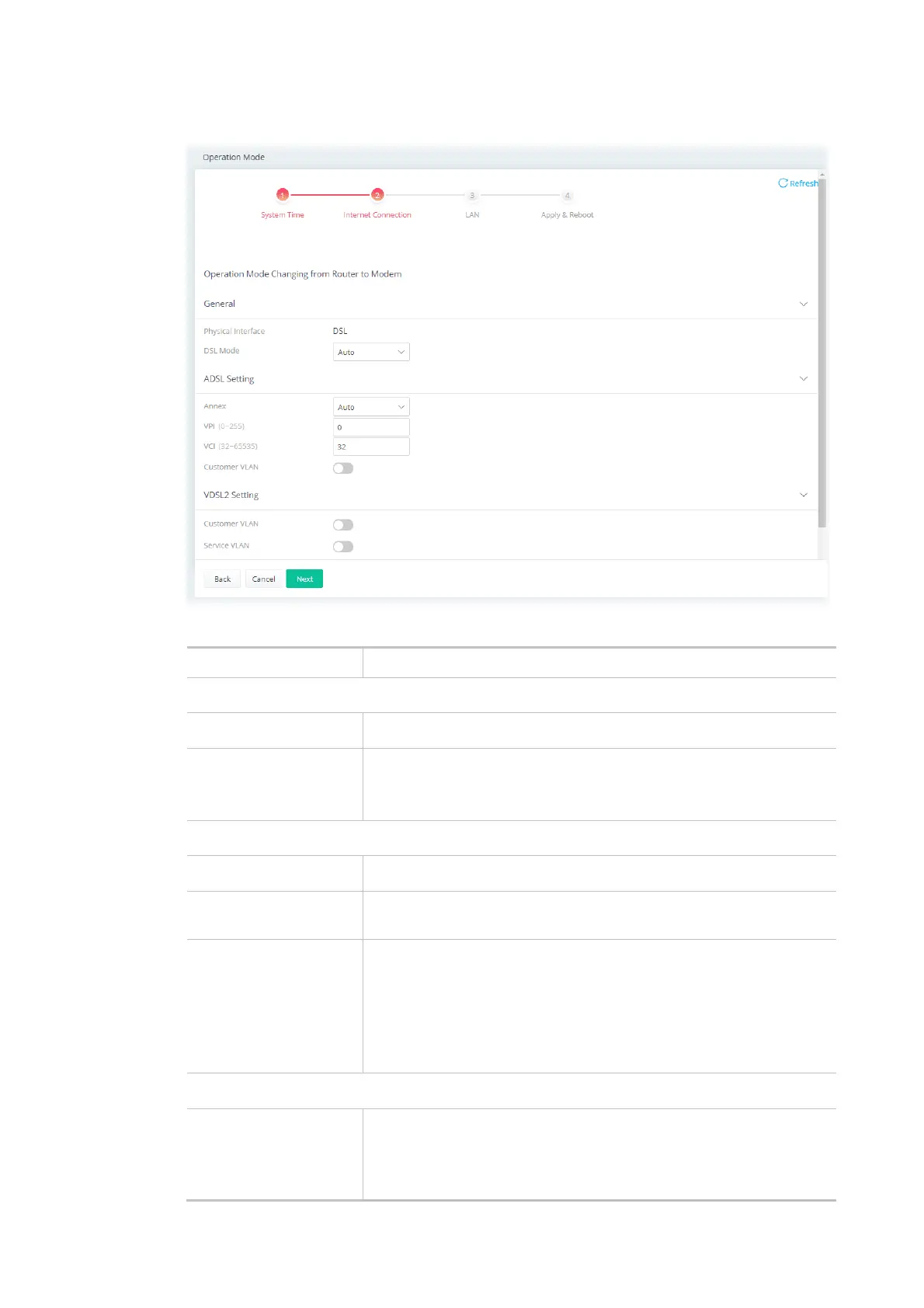
Step 2: Configure the settings for Internet connection.
Available settings are explained as follows:
Item Description
General
Physical Interface Displays the physical interface used for the network connection.
DSL Mode Select the DSL connection mode.
Auto - The router will first attempt to connect using VDSL2, and will
fall back to ADSL# if VDSL2 is unavailable.
ADSL Setting
Annex Specifies the modulation standard used for the ADSL connection.
VPI / VCI Set values for Virtual Path Identifier(VPI) and Virtual Channel
Identifier(VCI).
Customer VLAN Enabled - Switch the toggle to enable or disable the function. If
enabled, enter the values for the tag and priority.
Tag - Enter the value as the VLAN ID number. The range is from 0 to
4094.
Priority - Enter the packet priority number for such VLAN. The range
is from 0 to 7.
VDLS2 Setting
Customer VLAN Enabled - Switch the toggle to enable or disable the function. If
enabled, enter the values for the tag and priority.
Tag - Enter the value as the VLAN ID number. The range is from 0 to
4094.



 To Next Page