18
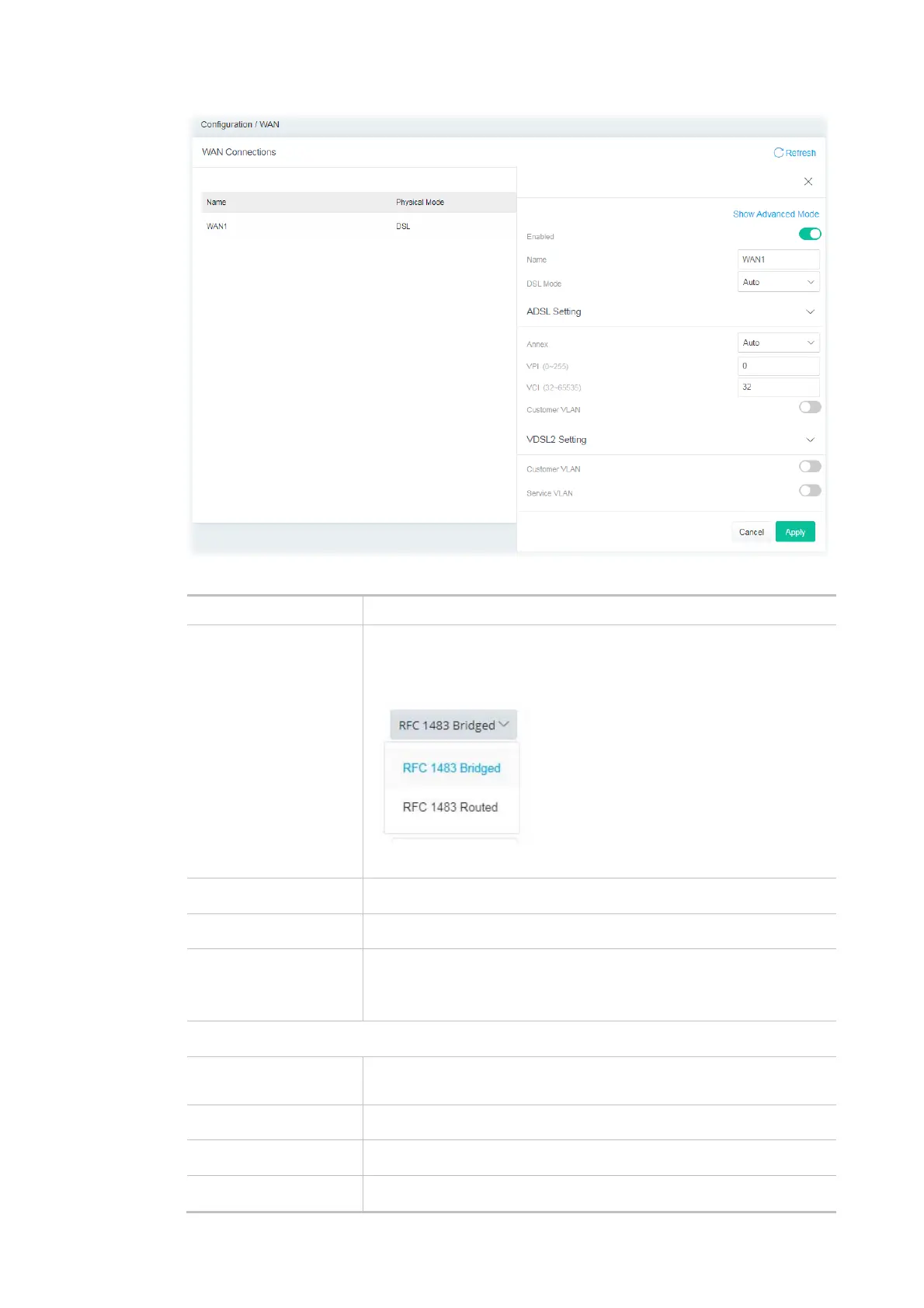
Available settings are explained as follows:
Item Description
Show / Hide Advanced
Mode
Click to show or hide the advanced settings for the WAN interface. The
advanced settings include Encapsulation and QoS.
Encapsulation -
QoS - Be explained later.
Name Displays current WAN interface.
Enabled Switch the toggle to enable or disable the function.
DSL Mode Specify which DSL mode (e.g., VDSL2, ADSL2, ADSL2 multimode,
ADSL2+, T1.413, G.DMT) can be used for such WAN connection.
Auto – The system will choose the suitable one automatically.
ADSL Setting
Annex Choose the correct modem version of the device, e.g., Annex A, Annex
B, Annex A/B/M, Annex A/B/J and etc.
VPI Enter the value provided by ISP.
VCI Enter the value provided by ISP.
Customer VLAN Enabled - Switch the toggle to enable or disable the function of VLAN



 To Next Page