25
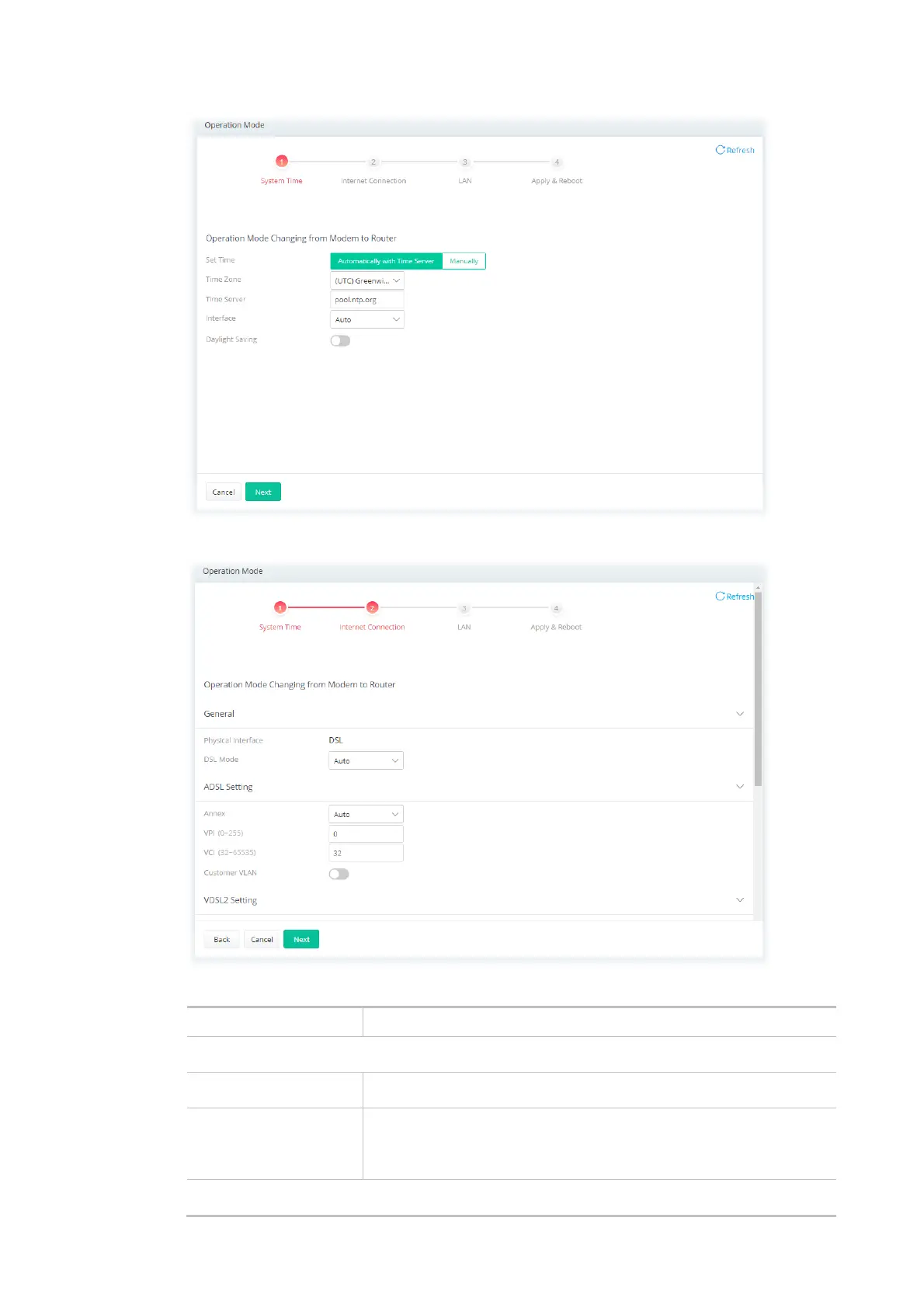
Step 2: Configure the settings for Internet connection.
Available settings are explained as follows:
Item Description
General
Physical Interface Displays the physical interface used for the network connection.
DSL Mode Select the DSL connection mode.
Auto - The router will first attempt to connect using VDSL2, and will
fall back to ADSL# if VDSL2 is unavailable.
ADSL Setting



 To Next Page