70
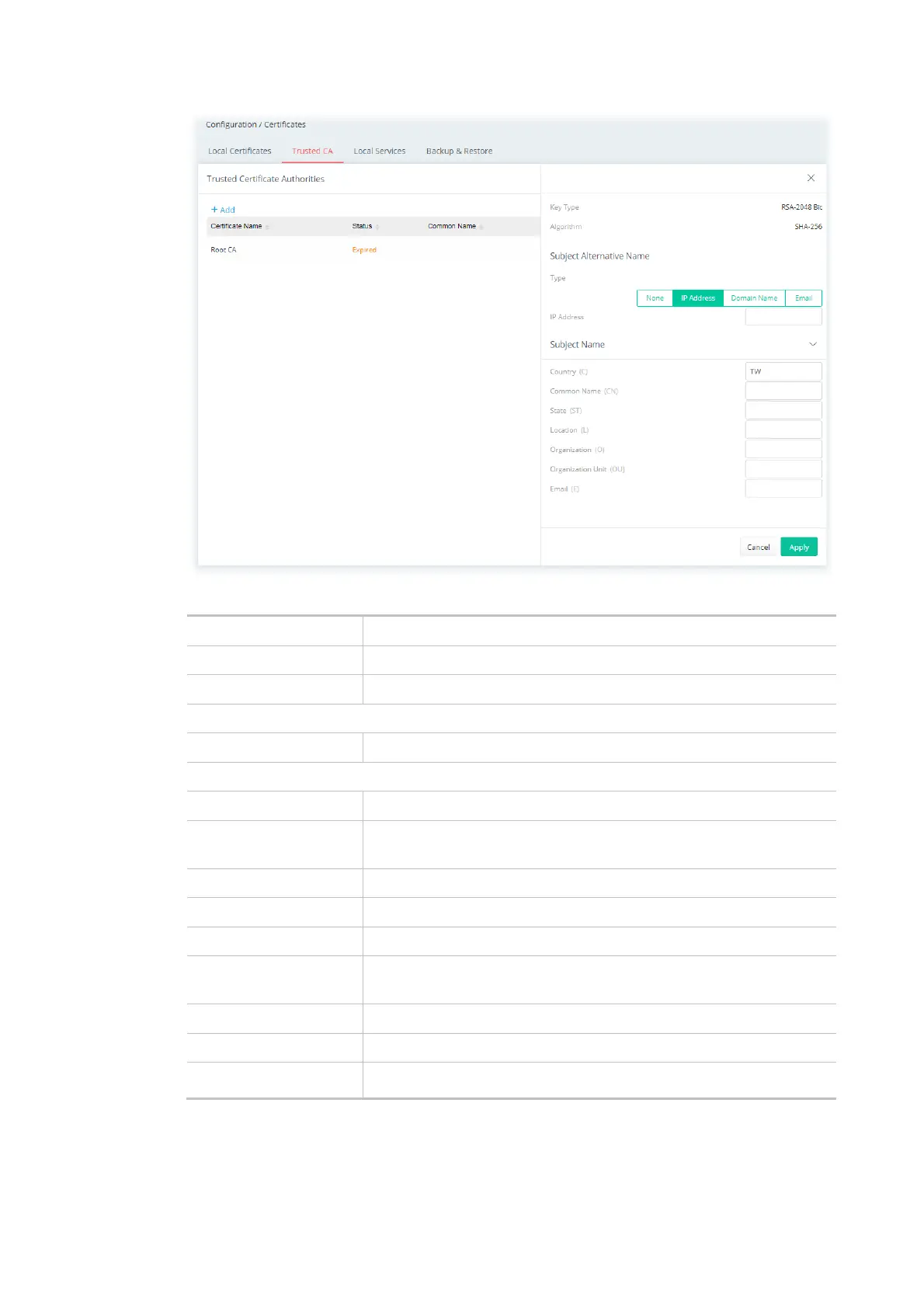
Available settings are explained as follows:
Item Description
Key Type Displays the key type (set to RSA).
Algorithm Displays the algorithm.
Subject Alternative Name
Type Select the type of Subject Alternative Name and enter its value.
Subject Name
Country (C) Enter the country name (code) in which your organization is located.
Common Name (CN) Enter the fully-qualified domain name / WAN IP that will be used to
reach your server.
State (ST) Enter the state or province where your organization is located.
Location (L) Enter the city where you're your organization is located.
Organization (O) Enter the legal name of your organization.
Organization Unit (OU) Enter the department within your organization that you wish to be
associated with this certificate.
Email (E) Enter the email address of the entry.
Cancel Discard current settings and return to the previous page.
Apply Click to submit generate request to the CA server.
After finishing this web page configuration, please click Apply to save the settings.



 To Next Page