AICCU – Tunnel application
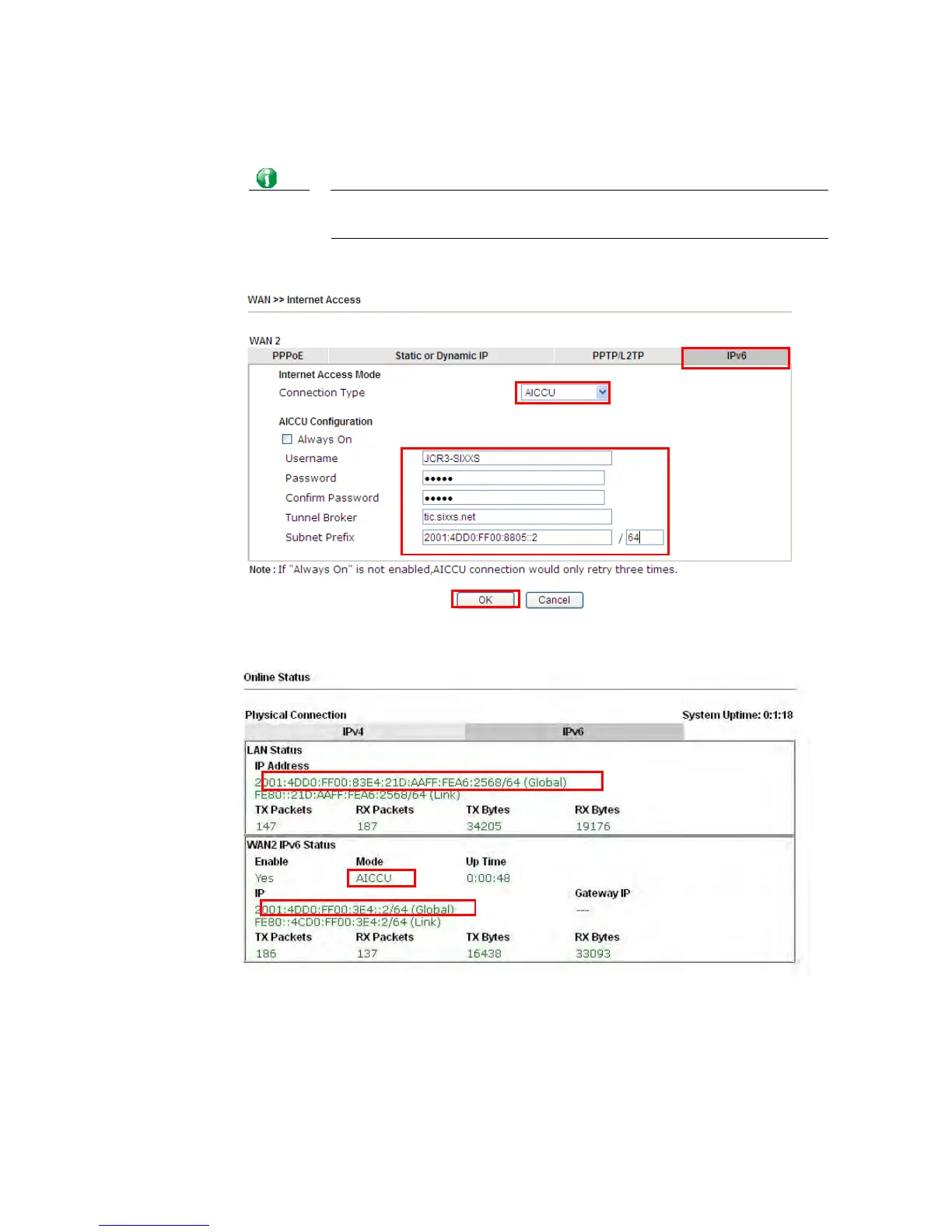
Choose AICCU and type the information for AICCU of IPv6.
Info
While using such mode, you have to make sure the IPv4 network
connection is normal.
(In the following figure, the AICCU information is obtained from
https://www.sixxs.net/main/ after applied for the service.)
Click OK and open Online Status. If the connection is successful, the physical connection
will be shows as follows:














 To Next Page