I
I
I
I
-
-
1
1
-
-
2
2
-
-
2
2
D
D
e
e
t
t
a
a
i
i
l
l
s
s
P
P
a
a
g
g
e
e
f
f
o
o
r
r
S
S
t
t
a
a
t
t
i
i
c
c
o
o
r
r
D
D
y
y
n
n
a
a
m
m
i
i
c
c
I
I
P
P
i
i
n
n
W
W
A
A
N
N
1
1
/
/
W
W
A
A
N
N
2
2
(
(
P
P
h
h
y
y
s
s
i
i
c
c
a
a
l
l
M
M
o
o
d
d
e
e
:
:
E
E
t
t
h
h
e
e
r
r
n
n
e
e
t
t
)
)
For static IP mode, you usually receive a fixed public IP address or a public subnet, namely
multiple public IP addresses from your DSL or Cable ISP service providers. In most cases, a
Cable service provider will offer a fixed public IP, while a DSL service provider will offer a
public subnet. If you have a public subnet, you could assign an IP address or many IP address
to the WAN interface.
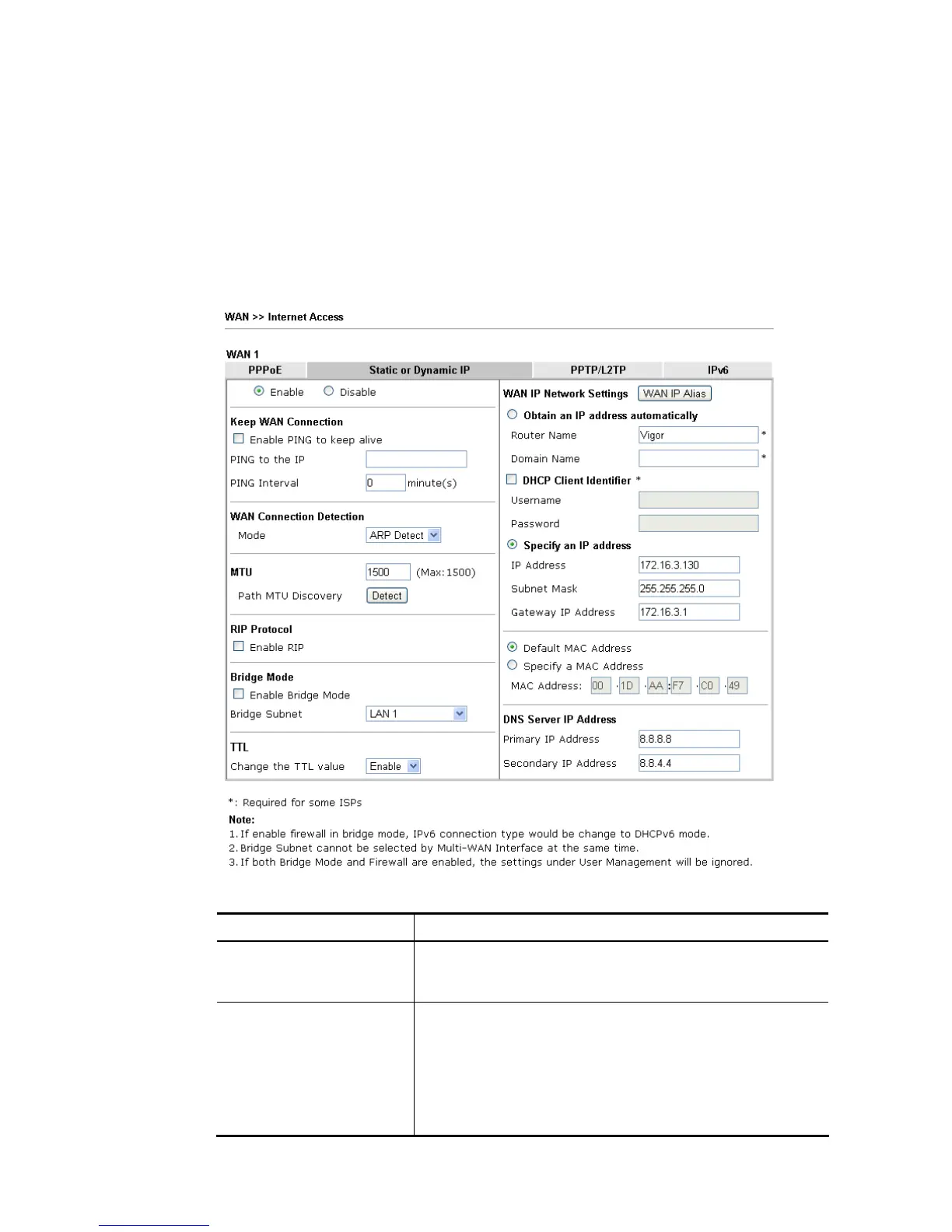
To use Static or Dynamic IP as the accessing protocol of the internet, please click the Static
or Dynamic IP tab. The following web page will be shown.
Available settings are explained as follows:
Item Description
Enable / Disable Click Enable for activating this function. If you click Disable,
this function will be closed and all the settings that you
adjusted in this page will be invalid.
Keep WAN Connection Normally, this function is designed for Dynamic IP
environments because some ISPs will drop connections if
there is no traffic within certain periods of time. Check
Enable PING to keep alive box to activate this function.
PING to the IP - If you enable the PING function, please
specify the IP address for the system to PING it for keeping
alive.














 To Next Page