Vigor2926 Series User’s Guide
121
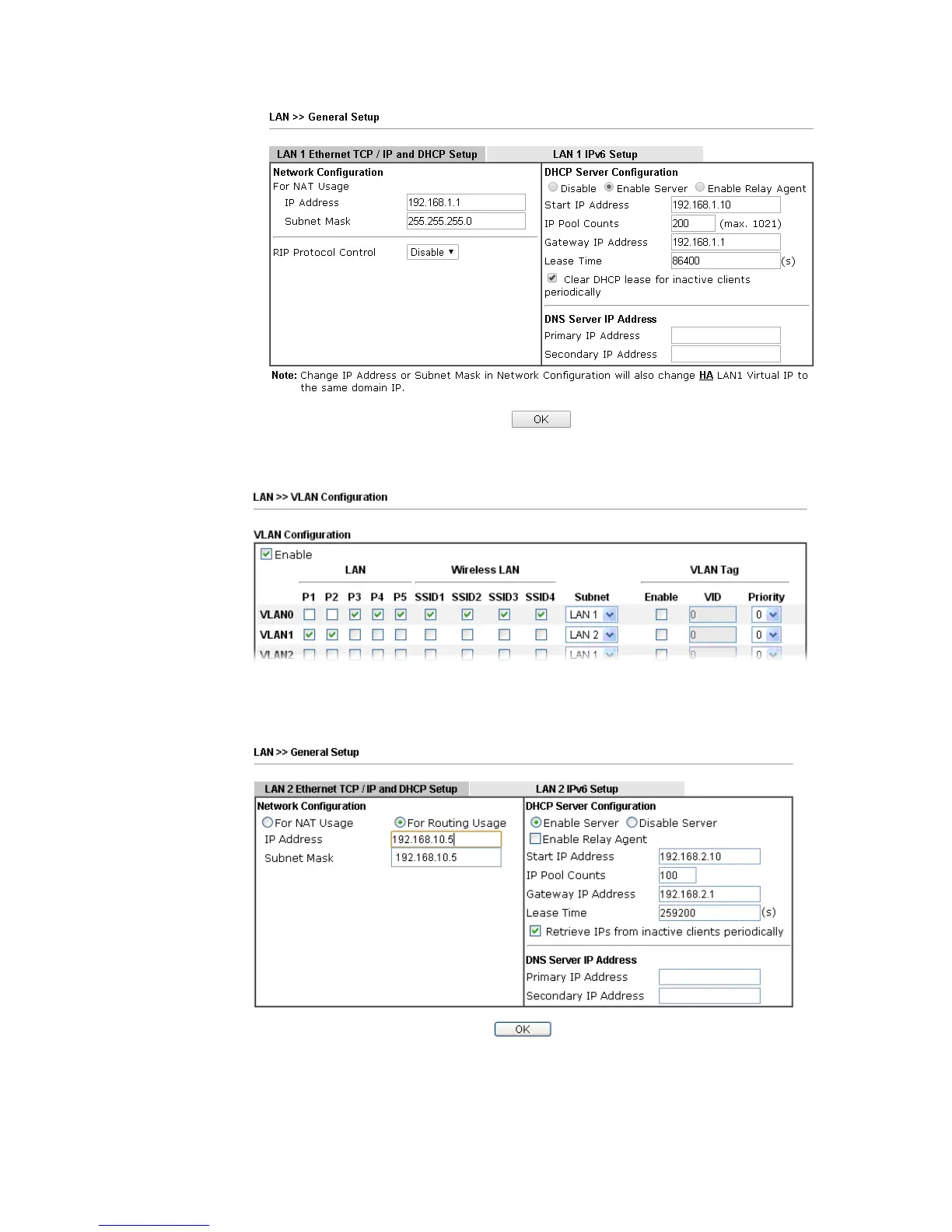
3. In the setting page, type the settings as follows and click OK to save the settings. Note
that LAN1 is always for NAT usage.
4. Return to LAN>>General Setup. Now, LAN2 is available for configuration. Click the
Details Page button of LAN2. Choose For Routing Usage. Type the settings as follows and
click OK to save the settings.
5. Open WAN>>Internet Access. Choose Static or Dynamic IP as Access Mode. Then click
Details Page.
6. In the configuration web page, type the settings as follows and click OK to save the
settings.














 To Next Page