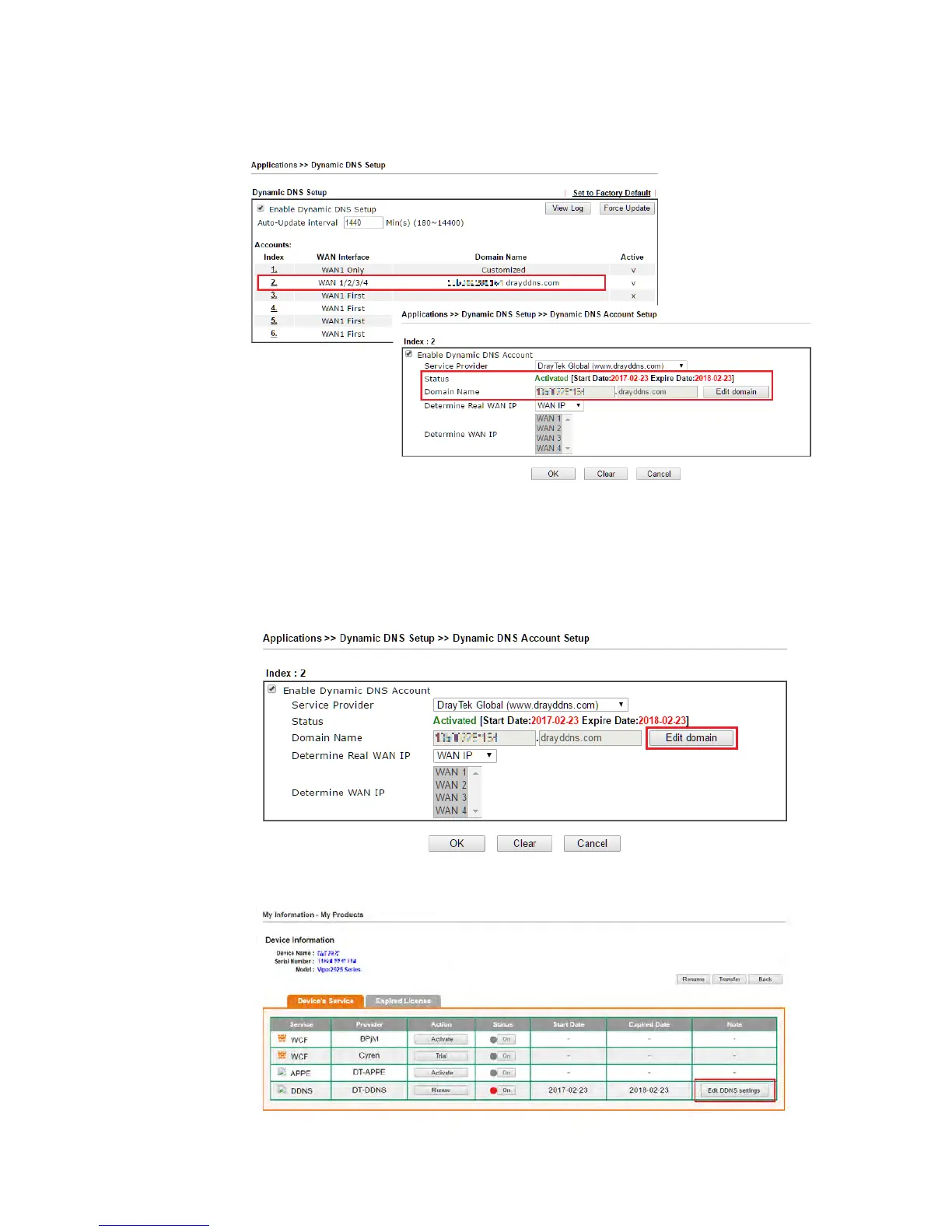
2. Wait few seconds for router to get the domain name, then, we can click the profile to
check the information of license and domain name.
M
M
o
o
d
d
i
i
f
f
y
y
D
D
o
o
m
m
a
a
i
i
n
n
N
N
a
a
m
m
e
e
Currently, only the domain name is allowed to be modified MyVigor website. We will need to
register the router to MyVigor server, and log in to MyVigor website to modify it.
1. Please visit https://myvigor.draytek.com/ or go to Applications >> Dynamic DNS Setup
>> DrayDDNS profile and click Edit domain.
2. Log in to MyVigor Website, choose the profile, then click Edit DDNS settings.














 To Next Page